
























































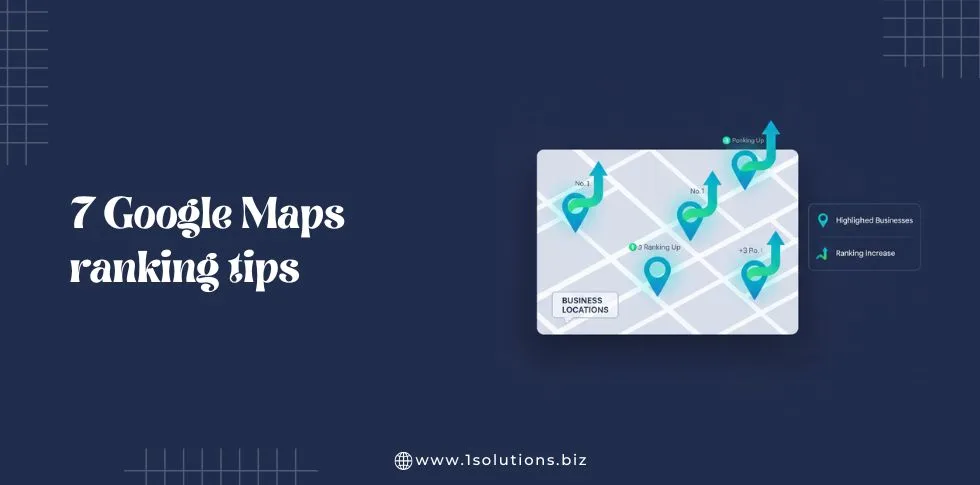
In today’s digital-first world, local search has become the most important factor for customer acquisition. Google Maps is no longer just a navigation tool-it has become a central hub for consumers looking for nearby services.
In fact, studies show that 76% of people who search for a local business on their smartphone visit that business within a day. This makes ranking on Google Maps a critical priority for local businesses.
The difference between appearing on the first page of Google Maps and being buried in search results can be the difference between dozens of daily customers and very few.
Businesses that optimise their Google Maps presence not only improve visibility but also enhance trust, authority, and engagement with their audience.
This guide explores seven actionable tips to improve your Google Maps ranking, increase local traffic, and capture more leads.
Each tip includes practical examples, detailed explanations, and data-backed insights.
Tip 1: Fully Optimise Your Google Business Profile
Your Google Business Profile (GBP) is the foundation of your Google Maps visibility. Google uses this profile to determine the relevance, credibility, and prominence of your business for local searches.
A fully optimised profile not only improves your Maps ranking but also builds trust with potential customers, increases engagement, and drives traffic to your website or physical location.
Businesses that invest in GBP optimisation often see measurable results, including higher conversion requests, increased website clicks, and more calls from prospective clients.
Steps to Optimise Your Profile
1. Complete Every Section:
Every field in your GBP should be filled out accurately. This includes:
- Business name
- Address
- Phone number
- Website
- Business hours (including holiday hours)
- Products or services offered
Incomplete profiles send signals to Google that the business may not be fully operational or trustworthy, which can negatively impact ranking. Furthermore, complete information reduces friction for users looking for specific details, increasing the likelihood they will choose your business over competitors.
2. Add High-Quality Photos:
Images are a powerful engagement tool. Businesses with photos receive 42% more requests for directions and 35% more website clicks than those without. Include:
- Product photos that highlight best-selling or unique offerings
- Images of your physical location to help customers recognise your store
- Photos of your staff to humanise your brand and build trust
- Event or behind-the-scenes photos to demonstrate activity and authenticity
High-quality visuals not only engage potential customers but also provide Google with more information about your business, which can help improve ranking signals.
3. Craft a Compelling Business Description:
Your description should clearly communicate your unique selling proposition while naturally incorporating relevant keywords. Focus on:
- What your business offers
- Who your target audience is
- What makes your services or products stand out
For example, a boutique may highlight personalised styling, sustainable materials, or limited-edition collections. A well-written description not only improves SEO but also encourages potential customers to explore your offerings further.
4. Select Accurate Categories:
Choosing precise categories helps Google classify your business and match it to relevant searches. Avoid generic categories like “Food” or “Retail.” Instead, pick categories that accurately describe your niche.
- Example for a bakery: “Bakery” and “Dessert Shop”
- Example for a salon: “Hair Salon” and “Beauty Spa”
You can also choose a primary category that best represents your core business and secondary categories to capture related searches. Proper categorisation ensures your business appears for the right local queries.
5. Add Attributes:
Attributes provide additional context about your business and help it appear in filtered searches. Examples include:
- Accessibility options (wheelchair accessible)
- Amenities (free Wi-Fi, parking availability)
- Service options (delivery, takeout, dine-in)
- Features specific to your industry (pet-friendly for cafes, family-friendly for restaurants)
Attributes make your profile more informative, improve user experience, and increase the likelihood of showing up in searches that use specific filters.
Practical Example:
A boutique clothing store could:
- List categories like “Clothing Store” and “Fashion Accessories” to capture a wide range of local searches
- Include high-resolution images of seasonal collections, accessories, and unique pieces
- Describe personalised services such as styling sessions or tailored fittings
- Highlight attributes such as “wheelchair accessible,” “personal shopping available,” or “online appointment booking”
By fully completing each section of your GBP, the boutique ensures that it appears in relevant searches, engages potential customers, and increases the likelihood of visits, calls, or website clicks.
Why This Matters
A fully optimised Google Business Profile increases visibility and credibility. Businesses that invest in GBP optimisation:
- Receive more calls and website visits
- Gain higher trust with users who can see consistent, detailed information
- Improve their chances of ranking in the coveted “Local 3-Pack” on Google Maps
Think of your GBP as a storefront for your online audience an incomplete or poorly optimised profile can turn away potential customers even before they reach your location.
Tip 2: Post Regularly on Google My Business
Regular posts on Google My Business signal that your business is active and relevant, boosting your Maps ranking and building trust with customers.
Best Practices:
- Share Timely Updates: Highlight promotions, new products, seasonal offers, or events to keep your audience informed.
- Include Visuals: Use high-quality photos or short video posts with visuals drive more clicks and engagement.
- Use Clear Calls-to-Action (CTAs): Encourage users to act, e.g., “Order online,” “Book an appointment,” or “Visit us today.”
- Maintain a Posting Schedule: Weekly posts show consistency and demonstrate that your business is active.
Advanced Tips:
- Use relevant keywords and location mentions naturally in posts to improve local search relevance.
- Track post-performance (clicks, website visits, direction requests) to see what resonates and adjust content accordingly.
- Repurpose content from social media, blogs, or events for efficiency and consistency.
Why It Matters:
- Can increase visibility by up to 15%.
- Encourages user engagement, signalling relevance to Google.
- Builds credibility and encourages repeat visits.
Example:
A local bakery posts weekly specials like “Chocolate Raspberry Tart this week!” shares short behind-the-scenes baking videos, and highlights seasonal promotions to drive foot traffic and online orders.
Tip 3: Implement Local SEO Best Practices
Your Google Maps ranking depends heavily on local SEO, which signals relevance to Google for location-based searches. Optimising your website and content improves both Maps visibility and online credibility.
Key Strategies:
- On-Page Optimisation: Include your city, neighbourhood, or region in headings, meta titles, and descriptions. Example: “Best Italian Restaurant in Downtown Chicago.”
- Create Localised Content: Publish blogs, guides, or articles about local events or topics to attract nearby customers. Example: “Top Lunch Spots in Downtown Chicago.”
- Use Structured Data (Schema Markup): Add the Local Business schema to clearly communicate your services, hours, and location to Google.
- Build Local Citations: Ensure your business name, address, and phone number (NAP) are consistent across directories like Yelp, TripAdvisor, and Yellow Pages.
- Acquire Local Backlinks: Collaborate with local blogs, news sites, and community organizations to boost authority and trust.
Example:
A dentist in New York writes posts like “Family Dental Services in Manhattan” or “Top Teeth Whitening Tips in New York” to target local search queries and improve Maps ranking.
Impact:
- Increases local search relevance
- Drives more organic traffic from nearby customers
- Strengthens authority and trust for Google’s algorithm
Tip 4: Manage and Encourage Customer Reviews
Customer reviews are a critical factor for Google Maps ranking and strongly influence customer decisions. Positive reviews build trust, while prompt responses signal engagement to both Google and potential clients.
Review Management Strategies:
- Ask for Reviews: Encourage satisfied customers to leave feedback via email, SMS, or in person. Make it easy with a direct review link.
- Respond Promptly: Thank users for positive reviews and address negative feedback professionally to show credibility.
- Use Keywords Naturally: Include relevant keywords in responses to reinforce local search relevance.
- Monitor Regularly: Track new reviews and flag fake or harmful submissions.
Statistics:
- 88% of consumers trust online reviews as much as personal recommendations.
- Businesses with five or more reviews are 70% more likely to get clicks on Maps listings.
Example:
A coffee shop requests reviews after each purchase, responds within 24 hours, and highlights popular menu items or special offers in replies.
Impact:
- Boosts local search ranking
- Builds customer trust and credibility
- Encourages engagement and repeat visits
Also Read :–How to Optimise Google Business Posts for Local Engagement
Tip 5: Ensure NAP Consistency Across Platforms
Your Name, Address, and Phone number (NAP) is one of the most critical factors for ranking on Google Maps. Inconsistent or incorrect information confuses both Google and potential customers, which can lower your visibility, reduce trust, and impact click-throughs or visits. Maintaining NAP consistency signals reliability and professionalism.
How to Maintain NAP Consistency:
- Audit All Listings: Regularly review your business information across social media profiles, online directories, review sites, and partner websites to ensure uniformity.
- Standardise Formatting: Use consistent spelling, abbreviations, and punctuation. For example, choose either “St.” or “Street” and stick with the same phone number format across all platforms.
- Update Changes Promptly: Any changes to your address, phone number, or operating hours should be reflected immediately across all listings to avoid confusion and maintain credibility.
- Bulk Verification for Multi-Location Businesses: Chains or businesses with multiple locations can use bulk verification tools to efficiently update and maintain accuracy across all Google Business Profiles and directories.
Example:
A restaurant chain ensures every branch lists the same NAP on Google Maps, Yelp, TripAdvisor, and social media. If one location lists a different phone number or address, it can confuse customers and harm Google’s trust signals, ultimately lowering rankings.
Impact:
- Strengthens credibility and trust with both Google and potential customers
- Improves local search ranking by signalling consistency and reliability
- Reduces missed opportunities from customer confusion or incorrect directions
- Supports review management and local SEO efforts by ensuring all platforms reference the same business details
Tip 6: Optimise for Mobile Search
With most local searches occurring on smartphones, mobile optimisation is critical to ensure users can easily find, navigate, and interact with your business on Google Maps. A mobile-friendly experience directly impacts engagement, conversions, and local search rankings.
Mobile Optimisation Strategies:
1. Responsive Design:
a. Ensure your website adapts seamlessly to all screen sizes, from smartphones to tablets.
b. Focus on fast load times, intuitive navigation, and clear call-to-action buttons. Slow-loading or cluttered mobile pages increase bounce rates and reduce engagement.
2. Simplify Contact Methods:
a.Use click-to-call buttons and integrated map directions to make it effortless for users to contact or visit your business.
b.Include clickable email links, booking buttons, or forms for immediate action.
3. Target Location-Based Keywords:
a. Optimise content for “near me” searches and include local neighbourhood or city names.
b. Example: “Best coffee shop near Downtown Chicago” or “Family dentist in Manhattan.”
4. Optimise Images and Media:
a. Compress image file sizes to reduce load times without compromising quality.
b.Use mobile-friendly video formats to enhance engagement without slowing the page.
5. Consistency Across Multi-Locations:
a.For businesses with multiple locations, ensure all mobile pages and Google Business Profiles are consistent in branding, NAP, and location-specific content.
6. Statistics & Impact:
a.50% of mobile users visit a business within 24 hours of performing a local search.
b.Mobile-optimised websites improve session duration, engagement, and Maps ranking, increasing the likelihood of conversions.
c.Users are more likely to interact, call, or visit businesses with mobile-friendly pages.
Example:
A local fitness studio ensures its website loads quickly on mobile, features a click-to-call button, displays a schedule of classes, and includes directions to the studio. This allows users searching “Yoga classes near me” to book instantly without friction.
Also Read: Bulk Verification in Google Business Profile: A Complete 2026 Guide
Tip 7: Leverage Local Engagement and Community Signals
Google prioritises businesses that are actively involved in their communities, as this demonstrates trust, authority, and local relevance. Engaging with your local audience not only improves Maps visibility but also builds brand loyalty.
Community Engagement Strategies:
1. Participate in Local Events:
a.Sponsor, host, or attend community events and share photos or updates online.
b.Events showcase business activity and encourage local interaction, which Google interprets as relevance.
2. Collaborate with Local Influencers:
a.Partner with neighbourhood influencers, bloggers, or organisations to increase reach and credibility.
b.Influencer mentions and shares can generate backlinks and improve local authority.
3. Encourage User-Generated Content (UGC):
a.Motivate customers to post photos, reviews, or testimonials online.
b.Highlighting UGC on your Google Business Profile or social media strengthens engagement and authenticity.
4. Neighbourhood-Specific Promotions:
a.Offer deals, discounts, or campaigns targeted to local neighbourhoods or zip codes.
b.Localised promotions signal relevance for nearby searches and drive in-person visits.
Example:
A fitness studio hosts a charity run, posts photos on Google My Business, and encourages participants to leave reviews. This boosts community visibility, creates authentic content, and improves Maps ranking.
Impact:
- Enhances local relevance in Google’s algorithm
- Builds trust and authority within the community
- Drives both online engagement and foot traffic
Frequently Asked Questions
Q1: How long does it take to rank on Google Maps?
Results vary by competition, profile optimisation, and reviews. Most businesses see improvements within 3–6 months.
Q2: Do reviews affect Google Maps ranking?
Yes. Positive reviews increase credibility, engagement, and relevance, signalling to Google that your business is trustworthy.
Q3: How often should I post on Google My Business?
At least once a week to maintain activity, encourage interaction, and show Google your business is operational.
Q4: Why is NAP consistency important?
Consistent name, address, and phone information ensures Google accurately indexes your business and prevents confusion.
Q5: Can multiple business locations affect ranking?
Not if each location has a verified profile, consistent NAP, and accurate category info. Bulk verification simplifies management.
Q6: How can I improve mobile performance for Google Maps?
Optimise websites for mobile, reduce load times, add click-to-call, and ensure content is smartphone-accessible.
Q7: What are the key factors for Google Maps ranking?
Google considers relevance, distance, and prominence. Optimised profiles, reviews, local SEO, posting, mobile readiness, and community engagement all contribute
Conclusion
Ranking higher on Google Maps requires a consistent, structured strategy. Businesses that optimise their Google Business Profile, post regularly, manage reviews, maintain NAP consistency, implement local SEO, optimise for mobile, and actively engage in their communities will see higher visibility, more traffic, and stronger conversions.
Applying these seven strategies ensures long-term success, improved local authority, and a competitive edge in your market.









 in India