
- Digital MarketingSEO ServicesSocial MediaSEO by Industry
- Design & Branding
- Web/Application DevelopmentEcommerceApp DevelopmentWebsite DevelopmentDedicated Hire
- About Us


























































Google My Business Optimization Service
Boost Your Local Visibility and Attract More Customers, Start Ranking Higher on Google Today!
Ready to see your business at the top of local search results? With 1Solutions, you can maximize your visibility in the Local Pack and Google Maps, driving more calls, website visits, and real-world foot traffic. Our expert Google Business Profile (GBP) optimization services are trusted by 100+ clients worldwide to increase engagement, build credibility, and grow your local customer base.
Google Business Profile Optimization for Maximum Impact
- Increase Your Visibility in Local Search
- Better Click-Through Rates (CTR)
- Customer Engagement and Interactions
- Higher Website Traffic and Conversions
- Better Local SEO Rankings
- Better Brand Credibility and Trust
Imagine your business appearing at the very top when customers in Delhi, Noida, or your neighborhood search for services like yours. Our GBP optimization focuses on what matters most: getting you seen, clicked, and chosen over the competition.
Our comprehensive service includes:
- Accurate, consistent business info across Google and the web
- High-quality photos, videos, and engaging descriptions
- Targeted keywords to reach the right customers
- Review management for trust and reputation
- Ongoing updates to stay ahead of Google changes
New clients this month receive a complimentary GBP audit—see exactly where you stand and what improvements will drive results.
Want the inside scoop on how our process works? Contact us for a consultation, or connect via WhatsApp at +91 96543 27900.
Visibility
Through Rate
Phone Calls
Traffic
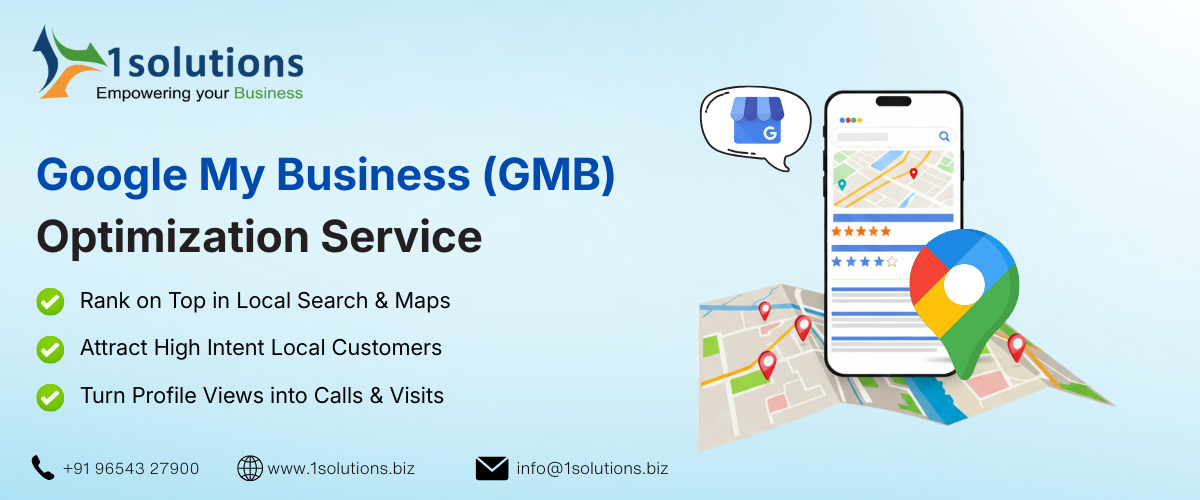
For local businesses striving to connect with neighborhood customers, establishing a robust online presence is paramount. Google Business Profile (formerly Google My Business) offers a powerful solution, enabling you to create a prominent online presence and appear in local organic search results—even without a dedicated website.
This accessible tool provides a direct line of communication with local clientele, bridging the gap between online searches and offline business.
Google Business Profile optimization unlocks a wealth of opportunities for local businesses seeking to capture their target market. By strategically optimizing your GBP listing, you enhance visibility in local search results, translating to increased inquiries, customer visits, and ultimately, business growth.
As part of our comprehensive digital marketing services offering, we boost your local visibility in the searches with our Google My Business optimization
Our comprehensive Google Business Profile optimization services are designed to propel your local business to the top of Google’s local pack (the coveted top three results in local search).
By leveraging the power of GBP, you can significantly enhance your overall SEO rankings and expand your organic reach in local searches. This synergy between GBP and broader SEO efforts creates a powerful online presence that drives consistent and sustainable growth.
Our expert team will manage and optimize your listing, allowing you to reap the rewards of increased local visibility and customer engagement. Contact us today to learn how we can help you maximize your local online presence and achieve your business goals.
Our GMB Business Services
01.
GMB Listing
Creation and Verification
- Claiming Existing Listings
- Creating New Listings
- Verification Process Management
- Data Consistency Check

02.
GMB Optimization
and Management
- Keyword Optimization
- Photo and Video Optimization
- Business Information Enhancement
- Review Monitoring and Response

03.
GMB Posting
Strategy Development
- Content Calendar Creation
- Post Content Creation (Text, Images, Videos)
- Offer and Promotion Setup
- Performance Tracking and Analysis

Trusted by 100+ Clients Globally | ROI Driven Work





Why hire our GMB optimization services?
Expert optimization and local SEO strategies ensure higher rankings in local search results and greater visibility to your target audience.
Free up your time to focus on your core business while we handle the time-consuming tasks of GBP management and optimization.
Ensure accurate and consistent business information (NAP) across all online platforms, enhancing local SEO and brand recognition.
Create compelling content, manage reviews proactively, and foster positive customer relationships through your GBP profile.
Benefit from our expertise in navigating Google algorithm updates and leveraging new GBP features for optimal performance.
Receive regular reports on key metrics, demonstrating the effectiveness of our GBP optimization efforts and the return on your investment.
Outpace your local competitors by maximizing your GBP presence and capturing a larger share of the local market.
Typical Agency

Generic Strategy
Limited Flexibility
Communication Barriers

Higher Cost Structure
Standard Reporting


Customized Strategic Approach
Cost-Effective Expertise
Comprehensive Skill Ecosystem
Advanced Technology Integration
Transparent, Results-Driven Partnership
In House Team
High Recruitment Costs
Limited Expertise Range
Technology Investment
Scalability Issues
Narrow Perspective
What Our Clients Say




- Disha Narang
(Imagine)


Their team is always available when needed, offering the right solutions at the right time. This commitment to service quality is why we have trusted them for several years and continue to recommend them to others with full confidence, knowing they will be in capable hands.
Wishing the entire 1Solutions team continued success!

I am happy with your service, it is exceptional, designing is just great. I am impressed. I advise to all friends to avail your services.
Thank you,
Acharya Praveen Chauhan






Why hire our GMB Experts?
Maximize your local visibility and get found by more customers with our expert GMB management services. We handle every aspect of your Google Business Profile, from initial setup and optimization to ongoing posting, review management, and performance tracking, ensuring your business stands out in local search results.
Technical Expertise & Proven Strategies
1Solutions emphasizes technical skills, which translates to a deep understanding of Google’s algorithms and best practices for GBP optimization. This ensures your profile is optimized for maximum visibility and performance. They likely utilize proven strategies based on data and experience.
Dedicated Support & Communication
Their focus on excellent support means you can expect clear communication, prompt responses to your questions, and a dedicated team to guide you through the process. This provides peace of mind and ensures your needs are met.
Commitment to Customer Satisfaction
The emphasis on 100% customer satisfaction suggests a client-centric approach. They are likely committed to delivering results that meet or exceed your expectations and building long-term relationships.
High-Quality Work & Attention to Detail
Their claim of unparalleled work quality suggests a meticulous approach to GBP optimization. This includes accurate information, compelling visuals, engaging content, and consistent branding to create a professional and effective profile.
Focus on Measurable Results & ROI
While not explicitly stated, any reputable GMB service should focus on delivering measurable results. This includes tracking key metrics like website clicks, phone calls, direction requests, and search visibility to demonstrate the return on your investment.
Comprehensive GMB Management
Beyond basic optimization, they likely offer ongoing management services, including regular posting, review monitoring and response, and performance tracking. This ensures your profile remains active, engaging, and optimized over time.
Why Google My Profile Optimization is Important for Your Business?
In today’s digital age, businesses can no longer afford to ignore their online presence. With more consumers turning to the internet for local services and products, having a robust strategy is essential. One of the most impactful tools at your disposal is Google My Business (GMB). This free platform allows you to showcase your business on Google Search and Maps, putting you in front of potential customers right when they need you. But why should GMB optimization be at the forefront of your marketing efforts? Let’s dive into how getting your business listed on GMB can transform your visibility, credibility, and customer engagement.
In the world of digital marketing, visibility is currency, and for local businesses, Google My Business is the most effective tool to achieve it.
When potential customers search for products or services nearby, Google displays a “Local 3-Pack” at the top of the search results. These are prime digital real estate spots, and they’re powered entirely by GMB listings.
If your business isn’t optimized or even listed, you’re not just missing out-you’re handing over leads to your competitors.
An optimized GMB profile dramatically increases your local search visibility by making sure your business appears in the exact moments when users are looking to take action-like calling, visiting, or purchasing.
For example, if someone searches “best AC repair in Delhi” or “organic bakery near me,” an optimized listing ensures that your business shows up on both search results and Google Maps, driving real-world outcomes.
But visibility isn’t just about appearing-it’s about being chosen. Google displays only the most relevant and well-maintained GMB listings.
That means if your competitors have complete, keyword-optimized listings with fresh photos, high ratings, and detailed services, they’ll appear before you-every single time.
By contrast, if you keep your GMB profile updated with regular posts, respond to reviews, and include detailed categories and attributes, Google rewards your profile with higher placement and more impressions.
Here are just a few ways GMB boosts your visibility:
Google Search & Maps Integration: Your business appears simultaneously in both places, expanding reach.
Branded Search Reinforcement: Even if someone searches your business name directly, an optimized GMB listing makes your brand look professional and trustworthy.
Discovery Through “Near Me” Searches: As “near me” queries skyrocket, GMB listings dominate the results—helping customers find businesses close to them instantly.
Enhanced Mobile Experience: GMB listings are mobile-friendly and show up prominently on mobile search, catering to over 60% of local searches.
Fact: Studies show that businesses with a complete and optimized GMB listing receive 7x more clicks and are 70% more likely to attract in-store visits than those without one.
Moreover, your visibility can skyrocket further when you utilize all of GMB’s built-in tools. Add relevant services, products, menus, booking buttons, and even Q&A sections. Every feature used increases your profile’s depth and searchability, giving you more chances to match customer queries.
In short, GMB optimization is not optional-it’s mission-critical. Without it, you’re invisible to the very people trying to find what you offer. With it, you’re not just visible-you’re preferred.
Having your business listed on Google is a start-but ranking high in Google Maps and local search results is where the real magic happens. And that’s exactly where strategic GMB optimization gives you a competitive edge.
Google Maps and local search results operate on a distinct algorithm that prioritizes relevance, proximity, and prominence.
That means it’s not just about having a listing-it’s about optimizing every single field to outperform competitors.
The better optimized your profile is, the higher you’ll rank when users in your area search for what you offer.
Think about how most users behave: they rarely scroll past the top three result-whether on Google Maps or the local pack in organic search. If your business isn’t in those top spots, you’re missing a majority of clicks, calls, and conversions. In fact, the #1 position in the local pack receives over 30% of all local clicks.
Here’s how GMB optimization improves your local and Maps rankings:
1. Complete Business Information = Higher Trust & Relevance
Google favors listings with complete and accurate details, including:
Primary and secondary business categories
Description with local keywords
Services and products with pricing
Operating hours (including holiday updates)
Attributes like “Women-led”, “Free Wi-Fi”, “Wheelchair Accessible”, etc.
The more comprehensive your listing, the more relevant you appear to both Google and customers—and relevance is a core ranking factor in local search.
2. Consistency = Authority Across the Web
Google cross-verifies your business data across various sources (called citations). If your Name, Address, and Phone Number (NAP) are consistent across your GMB, website, and local directories, you build credibility and authority, which helps you rank higher in Maps.
3. Reviews = Ranking Fuel + Conversion Boost
Customer reviews are not just trust signals—they’re also ranking signals. Businesses with a steady stream of positive, keyword-rich reviews rank better than those with few or no reviews.
Responding to reviews (both good and bad) increases your engagement score
Encouraging customers to leave relevant reviews (mentioning services, location, etc.) helps Google understand what you do and where you do it
Pro Tip: Include location + service keywords in your responses to boost local relevance. For example:
“Thanks for choosing us for your drain cleaning in Honolulu!”
4. Photos & Posts = Engagement Signals Google Loves
Uploading high-quality, geo-tagged photos and posting regular updates (offers, events, tips, etc.) tells Google that your business is active and valuable to users. Higher engagement (clicks, calls, saves) leads to improved ranking in Google Maps and increased exposure in local search.
5. Keywords in GMB = Local SEO Reinforcement
Google now indexes content from your GMB listing—like descriptions, services, and even Q&A. By including local and niche-specific keywords in your GMB content (e.g., “SEO company in New Delhi” or “organic vegan bakery in Brooklyn”), you align your listing with user intent, improving both rankings and click-through rates.
6. Proximity is Static—But Optimization is Your Power Move
You can’t control your physical location, but you can outrank nearby competitors by optimizing your GMB listing better than they do. If they’re only half-optimized and you’re fully dialed in—with keywords, reviews, images, updates, and consistency—Google will rank your business higher even if you’re slightly farther away from the searcher.
Google Maps and local search rankings aren’t random—they’re earned. With proper GMB optimization, you don’t just appear—you dominate. You move from page 2 invisibility to top 3 prominence where the real clicks, calls, and revenue happen.
At 1Solutions, we help businesses rank higher in local search results and Google Maps through structured GMB optimization strategies. From keyword mapping to review generation, our GMB SEO experts take care of everything that impacts local rankings-so your business gets discovered, trusted, and chosen.
Google My Business acts as a powerful magnet for potential customers. When your business appears in local search results, it significantly increases the chances of attracting foot traffic and inquiries.
People often turn to Google to find nearby services or products. A well-optimized GMB profile ensures that you are visible when they are searching for what you offer.
By displaying essential information like hours, location, and contact details upfront, businesses can engage users quickly. This convenience leads to higher conversion rates.
Moreover, showcasing photos of your products or services helps capture attention immediately. Visuals play a crucial role in drawing interest and encouraging potential customers to choose you over competitors.
Engaging with customer reviews also adds another layer of appeal. Responding positively creates a welcoming atmosphere that influences purchasing decisions right away.
In today’s search-first world, trust is the foundation of customer action -and your Google My Business profile is the first checkpoint where trust is either won or lost.
An incomplete or poorly managed GMB listing can create doubt, while an optimized, active profile builds instant credibility and dramatically increases your click-through rates from local search results.
Customers rarely make buying decisions blindly anymore.
They compare options, read reviews, look at photos, and analyze small trust signals before choosing where to spend their money. And all of this happens in seconds-right from the GMB listing, without ever visiting your website.
Here’s how an optimized GMB profile builds trust and boosts CTR:
1. Verified Business Details = Instant Legitimacy
When your GMB profile is fully filled out-with business name, phone number, address, business hours, and website URL-Google marks your listing as verified. This simple but powerful signal reassures users that your business is authentic, operational, and trustworthy.
Customers are 2.7x more likely to view your business as reputable when your profile is complete.
Verified listings with correct information reduce bounce rates and increase engagement.
Incomplete or outdated information (like wrong hours or missing contact details) leads to frustration and distrust, which often pushes potential customers straight to a competitor.
2. Customer Reviews Build Social Proof
Nothing influences credibility like reviews. Your GMB star rating and review volume are critical decision-making factors for local customers.
A business with 4.8 stars from 250+ reviews outperforms one with 3.2 stars and 20 reviews-even if both are nearby.
Google also considers your average rating and review frequency when determining rankings and visibility.
What’s more—CTR increases as your ratings improve. According to BrightLocal, a business with a 5-star rating earns nearly 40% more clicks than one with a 3-star rating.
Pro tip: Ask happy customers to mention specific services or locations in their reviews (e.g., “best SEO company in Vancouver!”)-this reinforces keyword relevance in Google’s eyes.
3. Visual Content = Professionalism & Personality
High-quality images are another form of trust currency. Customers want to see your storefront, products, team, or even your workspace before engaging.
GMB listings with photos receive:
42% more requests for directions
35% more clicks to websites
Up to 90% more views on Maps
Include a mix of:
Logo and branding visuals
Exterior and interior shots
Service or product photos
Team headshots or action shots
Before/after results (for service-based businesses)
Video also adds a powerful layer of credibility-especially walkthroughs, testimonials, or demos.
4. Real-Time Interaction = Active, Caring Business
Businesses that respond to customer reviews-good or bad-are seen as responsive, customer-focused, and transparent. Google displays these interactions, and users take note.
Also, replying to FAQs and adding regular GMB posts (updates, events, offers) shows that your business is engaged and trustworthy, which leads to higher CTR and longer profile dwell time (a key engagement signal).
5. Strong CTR Signals Better Relevance to Google
Here’s the SEO loop: the more people click on your listing, the more Google sees it as relevant, which leads to better rankings and even more clicks.
So, the better your listing’s appearance-star ratings, photos, content, completeness-the more likely users are to click. And higher CTR becomes a self-reinforcing signal that Google rewards.
Ways to increase CTR directly from your GMB profile:
Add compelling CTA buttons: “Call Now”, “Book Online”, “Get Directions”
Use keyword-rich, benefit-driven business descriptions
Add FAQs that address common objections or questions
Keep your GMB posts fresh and visually engaging
A strong GMB profile doesn’t just help you show up-it helps you stand out, build trust, and get chosen. In a crowded local market, credibility is everything. The difference between a user clicking your business or a competitor’s often comes down to the tiny but powerful trust signals in your GMB listing.
At 1Solutions, we specialize in Google My Business optimization services that enhance trust, amplify credibility, and turn more searches into actual clicks, calls, and customers.
Google My Business (GMB) plays a crucial role in enhancing your local SEO strategy. When you optimize your GMB profile, it helps search engines understand who you are and what services you offer. This clarity boosts your chances of appearing in local searches.
By filling out essential information like business hours, location, and contact details, you’re sending positive signals to Google. Accurate data ensures customers find the right information quickly, which can lead to increased engagement with your listing.
Moreover, customer reviews on your GMB page contribute significantly to local rankings. Positive feedback not only influences potential clients but also shows Google that you’re a reputable business worth promoting.
Regularly updating posts and photos further improves visibility. Active profiles tend to rank higher because they demonstrate ongoing relevance and commitment to customer interaction
Getting your business listed on Google My Business (GMB) opens the door to valuable insights that can drive your marketing strategy forward. You gain access to a treasure trove of data about how customers interact with your business online.
From search queries that lead customers to you, to the number of calls and clicks on directions, this information is crucial. It helps you understand customer behavior better.
You can track what times people are searching for your services most frequently. This insight allows you to tailor promotions or operational hours accordingly.
Moreover, GMB offers metrics on customer actions, such as website visits and photo views. These analytics empower businesses to refine their offerings and enhance user experience based on real-world interactions.
Utilizing these insights effectively can set you apart in today’s competitive market landscape.
Setting up and managing your Google My Business profile is both free and straightforward. This means that even small businesses with limited budgets can take advantage of the platform’s features without any financial strain. The user-friendly interface allows business owners to easily update their information, post updates, and respond to customer reviews.
The simplicity of GMB optimization encourages even those who might not be tech-savvy to engage with customers effectively. By investing a little time into creating an appealing profile, you open the door for increased visibility and engagement in your community. It’s an accessible tool designed for everyone, making it easier than ever to connect with local customers.
Taking full advantage of Google My Business can significantly enhance your online presence at no cost. This opportunity should not be overlooked by any business aiming for growth in today’s digital landscape.
FAQs About Link Building Packages
Some common queries related to GMB optimization services
Google’s local search rankings rely on a blend of proximity, relevance, and prominence of three key factors that determine where your business appears in Maps and local search results.
Proximity: Google considers how close your business is to the searcher’s location or the area the user specifies in their search. Businesses physically nearer to the user often claim higher spots in local results, especially for “near me” searches.
Relevance: This is all about how well your business listing matches what someone is searching for. Ensuring your profile is complete, with accurate categories, a detailed description, and relevant keywords, helps Google connect you with users looking for the services or products you offer.
Prominence: Think of this as your business’s reputation both online and offline. Google looks at factors like the quality and quantity of your reviews, how actively your business engages with customers, and your overall presence across the web- mentions, backlinks, and even your website’s authority all play a role.
By keeping your information accurate, regularly updating your content, and engaging with customer feedback, you help Google understand both where you are and why you’re the right choice for local customers.
Ten Key Steps to Optimize Your Google Business Profile
Optimizing your Google Business Profile is an essential strategy for boosting your local visibility and connecting with more potential customers. Here are ten core steps you can take to maximize your results:
Claim and Verify Your Profile
Start by claiming ownership of your business profile through Google. Verification ensures you have full control to manage and update your listing.Create an Eye-Catching Logo and Cover Photo
Upload a professional logo and a high-quality cover image that represents your brand. Consistent, visually appealing imagery builds trust with your audience.Add Location-Based Photos and Videos
Enhance your listing with pictures and short videos tagged to your business location. This helps showcase your premises, team, and services, making your profile more engaging and credible.Complete All Listing Details
Provide accurate business hours, categories, address, contact information, and a compelling business description. Thorough, up-to-date details make it easy for customers, and Google, to understand who you are.Activate Special Features
Make use of features like messaging, booking buttons, or service menus, depending on your industry. These options improve customer interaction and convenience.List All Services Offered
Clearly outline every service you provide. Detailed service listings not only inform potential customers but also help your profile appear for specific searches.Showcase Your Products
Display your most popular products with descriptions and images. This can drive sales directly from your profile and give searchers a clear idea of your offerings.Engage with Q&A
Populate the Questions & Answers section with helpful information, or respond thoughtfully to questions from the public. Proactive engagement builds authority and reassures new customers.Share Updates with Posts
Keep your audience informed by posting news, promotions, events, or seasonal offers regularly. Active posting signals to Google, and your community, that your business is thriving and attentive.Encourage and Respond to Reviews
Ask satisfied customers to leave reviews and publicly reply to their feedback. Consistent engagement with reviews boosts your credibility and signals high customer service standards.
Implementing these steps can significantly improve the impact of your Google Business Profile, making your business more discoverable, and more attractive, to your local audience.
Why Unique, Localized Descriptions Matter for Each GBP Location
Crafting individualized business descriptions for each of your Google Business Profile (GBP) locations can make a noticeable difference in your local SEO efforts. Rather than using the same generic summary everywhere, tailor each profile’s description to highlight what sets that specific location apart.
For example, showcase unique services, special amenities, or local expertise relevant to the area. Mentioning that your downtown branch offers bilingual staff, or that your east-side location specializes in weekend appointments, gives potential customers a clear idea of which spot best fits their needs.
This personalized approach not only helps customers make an informed choice but also signals to Google that each location provides distinct value, boosting relevance in search results for those unique offerings. Localized content demonstrates to both customers and search engines that your business is truly part of the community, not just another listing.
Building out dedicated, location-specific pages on your website, and linking each page to its respective Google Business Profile, offers tangible benefits for multi-location businesses. By doing this, you’re giving both Google and your potential customers clearer, more relevant information that goes beyond generic details.
Here’s why this approach works:
- Enhanced Local Relevance: When you provide unique content for each location, search engines are better able to match your business with specific local searches. For example, someone searching for “best coffee shop in Seattle” will find your Seattle page more relevant than a broad company page.
- Improved Click-Through Rates: Google often highlights snippets and insights from your location pages within local search results. Ever seen the line, “Their website mentions...”? This can pique curiosity and drive more clicks when that information is specific and helpful for the searcher’s intent.
- Stronger User Experience: By directing visitors to content that speaks directly to their neighborhood, city, or needs, you increase the chances they’ll take action, like calling, visiting, or leaving a review.
- Competitive Advantage: Many businesses stick to a single landing page, but by tailoring each profile and connecting it to a relevant page, you create more opportunities to stand out in crowded local packs.
Ultimately, a localized content strategy isn’t just about pleasing Google; it’s about giving every branch and every customer the personalized attention that inspires confidence and drives results.
What information can you include for each service in your Google Business Profile?
Each service listed on your Google Business Profile allows you to provide essential details to help customers make informed decisions. For every service, you can specify:
- The service name
- A description outlining what’s included
- The price or price range (if you wish to display it)
- The category the service falls under
Organizing your profile with categories is particularly helpful if you offer a broad range of services or multiple variations of a single service. It helps potential customers navigate your offerings more easily and ensures they find exactly what they're looking for. Properly detailed service listings also improve both visibility and credibility in local search results.
Encouraging Customers to Share Photos on Your Google Business Profile
Looking for ways to boost your profile with fresh customer photos? Here are some simple and effective strategies:
- Host a Photo Challenge: Invite your customers to capture and share their best moments at your business, whether it’s enjoying a signature dish, snapping a shot with a finished product, or participating in an event.
- Offer a Small Reward: Incentivize uploads with a chance to win a free product, service, or gift card. People love the opportunity to get something extra just for participating.
- Make It Easy: Display a gentle reminder at your location (like a table tent or sign near checkout) encouraging guests to share their experience on Google.
- Engage Online: After a positive interaction, send a friendly follow-up email thanking them for their visit, and suggest they upload a photo to your profile to help others discover what makes your business unique.
Not only does this help keep your listing vibrant and authentic, but it encourages real, positive engagement from happy customers, giving potential visitors a genuine look at what you offer.
Using local phone numbers and accurate business addresses in your Google Business Profile is essential for two big reasons: credibility with potential customers and ranking higher in local search results.
Local contact information makes your business appear genuinely part of the community, which builds trust with people searching nearby. Customers are more likely to call a number with a familiar area code—they know they’re reaching a nearby business instead of a distant call center.
From Google’s perspective, local details signal relevance. The more accurate and region-specific your information, the more confidence Google has in connecting your business with local searches. This is especially important if you have several locations close together or on the same street but in different towns, distinct phone numbers and addresses help prevent confusion and ensure each listing gets the right visibility.
Additionally, tracking call volume and inquiries by location becomes a breeze when you use unique local phone numbers. This lets you measure ROI and know which branches are generating the most interest.
In short, prioritizing local contact details helps customers find and trust you, and ensures your business stands out exactly where it matters most: in your own community.
Enabling messaging on your Google Business Profile adds a direct and convenient line of communication between you and potential customers. Instead of waiting for a phone call or email, visitors can reach out instantly through your profile on Google Search or Maps, making it easier for them to ask questions, request quotes, or clarify details about your services.
By responding promptly to messages, you not only demonstrate responsiveness but also increase the likelihood of converting interested users into actual customers. Quick, helpful replies build trust and can influence prospective clients to choose your business over competitors who might be slower to respond or less accessible.
Messaging is especially helpful for capturing leads outside typical business hours, allowing you to engage with customers at their convenience. If you have the capacity to monitor and answer inquiries in a timely manner, turning on this feature can boost your engagement rates and support higher conversion rates, ultimately strengthening your local reputation and improving customer satisfaction.
Keeping Customers Informed with Location-Based Google Posts
An often-overlooked tool, Google Posts allows you to share timely, location-specific updates directly on your business profile, whether you’re highlighting a special offer at your downtown branch or announcing a community event at your new location.
By tailoring posts to each location, you set clear expectations for customers. This is especially valuable when offers, promotions, or services might differ from one place to another.
Benefits of using location-specific Google Posts include:
- Reducing customer confusion by sharing up-to-date, accurate information that’s relevant to each store or service area.
- Minimizing frustration (and those dreaded negative reviews) from customers who may otherwise assume all promotions apply everywhere.
- Building trust with your audience by proactively communicating changes, policies, or unique local highlights before they make a trip.
When your updates are local and timely, you help ensure every customer gets the right message before they step out the door, strengthening both their experience and your reputation.
Call tracking numbers are a valuable tool for understanding how effectively your Google Business Profile is driving phone inquiries. By assigning a unique call tracking phone number to your profile, you gain clear visibility into which calls originate directly from your listing, even if customers dial the number manually rather than clicking a call button.
This approach enables you to:
- Monitor Lead Sources: Distinguish between calls generated from your GBP and those from other marketing channels.
- Assess Campaign Performance: Evaluate which updates or posts are prompting customers to reach out, aiding in optimizing future content.
- Track Conversions: Tie incoming calls to specific actions on your profile, so you can better attribute leads and sales to your local SEO efforts.
- Measure ROI: With concrete call data, it’s easier to determine how your GBP contributes to revenue, helping you make informed marketing decisions.
Integrating call tracking with your Google Business Profile delivers a more complete picture of your local search performance, ensuring that every lead, not just those who click, is accounted for in your analytics.
Homepage vs. Location Page: Which URL Should You Use?
When it comes to choosing the best website URL for your Google Business Profile, the answer comes down to the structure of your business.
Single-location businesses: Linking your GBP to your homepage is typically the best choice. This provides visitors with an overall introduction to your brand and directs them to core information they’re likely searching for.
Multi-location businesses or those with dedicated provider pages: It’s better to use the URL that corresponds directly to each specific location or service provider. For example, if you operate in both Toronto and Vancouver and have distinct web pages for each, link each Google Business Profile listing to the page for that specific city. This gives customers immediate, relevant details about the location nearest to them, improving both user experience and local search relevance.
The key takeaway: Use the homepage for single locations, and dedicated location or provider pages for businesses with multiple branches. This approach provides a smoother path for customers trying to connect with the right location or service and helps Google display the most accurate information in search.
To accurately measure how visitors are engaging with your Google Business Profile and understand what’s driving real results. It’s essential to set up effective tracking on your profile links.
Integrating Tracking URLs and Call Tracking
We recommend adding UTM parameters (via Google Analytics) to key URLs included in your business profile. This means appending tracking codes to your main website link, Google Posts, booking URLs, and, if relevant, your menu or service links. By doing so, you gain clarity on which actions stem from your GBP, rather than from other sources.
For even greater insight, consider using unique call tracking numbers for your GBP listing. This allows you to capture data on every incoming call generated specifically by your profile, including those who dial the listed number directly rather than clicking the call button online. This approach gives you a clear view of lead sources and enables more accurate attribution of calls, inquiries, and conversions.
Why This Matters
Implementing these tracking methods helps you:
- Identify the volume and quality of traffic your GBP drives to your website.
- Pinpoint which posts, promotions, or services are resonating most with customers.
- Track calls and inquiries directly tied to your profile, essential for understanding ROI.
Overall, combining URL tracking with call tracking ensures you have a data-driven perspective on the effectiveness of your GBP presence and can adjust your local SEO strategy with confidence.
Dealing with Duplicate Profiles: Why It Matters
Duplicate profiles can quickly become a headache for both your business and potential customers. From Google’s perspective, multiple listings for the same location can muddy your online presence, leading to confusion about which profile is the “official” one. This confusion isn’t just inconvenient—it can also jeopardize the integrity of your GBP, sometimes even resulting in suspensions or ranking drops as Google aims to keep its maps accurate.
For customers, stumbling across different versions of your business may cause uncertainty or distrust, who wants to call the wrong number or show up at the wrong spot? Plus, customer reviews and ratings can get scattered across duplicate profiles, making it harder for new customers to see a clear, consolidated reputation. That’s why it’s essential to audit your locations regularly and ensure that every place has just one, well-maintained profile on Google.
Other Key Details You Can Add in the "More Details" Section
Beyond the basics, Google Business Profile invites you to include additional information in the "More Details" section, helping your business stand out by highlighting what makes you unique.
Some of the additional details you can showcase include:
- Ownership attributes (such as veteran-owned, women-led, or LGBTQ+ friendly)
- Accessibility information (for example, wheelchair access or assistive hearing devices)
- Amenities (like restrooms, baby-changing stations, or children’s play areas)
- Atmosphere and crowd details (lively, quiet, family-friendly, etc.)
- Special highlights (testing centers, unique services, or notable features)
- Service offerings (drive-through, curbside pickup, delivery options)
- Planning features (accepting new appointments, walk-ins welcome, new customers accepted)
- Service options (multilingual staff, language assistance available)
By thoughtfully completing these fields, you cater to the preferences and needs of potential customers many of whom are actively searching for businesses with these very attributes. The more thorough and relevant your details, the easier it is for Google to match your profile with the right audience, setting your business apart from the crowd.
Managing duplicate listings is crucial for maintaining a clear and trustworthy online presence. When more than one Google Business Profile exists for the same location, it can muddy the waters for both Google’s systems and your potential customers. This confusion may result in customers visiting the wrong address or missing you entirely in search results.
Worse yet, duplicate listings can lead to significant issues, such as profile suspension or ranking penalties from Google, since the platform prioritizes accuracy and hates conflicting information. Prominent brands, local chains, and even independent businesses can all fall into this trap if they aren't vigilant.
To prevent these headaches:
- Regularly search your brand name and business locations on Google Maps.
- Use tools like Moz Local or BrightLocal to scan for duplicates efficiently.
- Remove or merge duplicates promptly to ensure a single, authoritative presence for each location.
Investing a little time in this audit helps keep your listings accurate, maintains your local SEO strength, and ensures a smoother experience for your customers.
When adding products to your Google Business Profile, you have plenty of options for showcasing what you offer. For each product, you can specify the product name, provide a clear price or price range, write a detailed description to highlight features or benefits, and upload a high-quality image to visually represent the item. You also have the option to link each product directly to its page on your website for more information or to encourage purchases. Additionally, products can be organized into categories, making it easier for customers to browse related items and quickly find what they're looking for. This setup allows you to put your best foot forward, engaging potential buyers right from your profile.
Enhancing Local Search with Location-Specific Page Links
Linking your Google Business Profiles directly to location-specific pages on your website is a strategic move that can significantly boost your local search visibility.
Here’s why this matters:
- Tailored Content for Each Location: When each profile directs visitors to a relevant, dedicated page, it offers Google, and your potential customers, clear, location-specific details like services offered, unique attributes, and local promotions.
- Stronger Relevance Signals: Google often pulls data from your associated webpages into your business listing. If your page clearly references the neighborhood, city, or special offerings exclusive to that branch, you’re sending stronger signals about your relevance for local searches.
- Increased Engagement: Searchers are more likely to engage with a business that instantly provides information about the exact location they’re interested in, reducing friction and encouraging actions like calls, clicks, or route requests.
This approach not only helps differentiate each of your listings in crowded search results, but also improves your chances of surfacing in the coveted “local pack” with compelling, location-focused details customers care about.
Optimizing Your GBP for Service-Based Searches with the Services Feature
Enhancing your Google Business Profile for service-based searches involves making strategic use of the Services section. This area functions much like targeted website pages, creating clear, detailed entries for each service you offer can significantly help your business appear for relevant local search queries.
Here’s how to make the most of this feature:
- List Every Service: Add each individual service your business provides, whether it’s a signature offering or a standard option. Don’t forget to include both branded and general service names to capture a wider audience.
- Use Descriptive Details: For each service, provide a clear name, accurate pricing (if applicable), and a concise description. This not only informs customers, but also helps Google match your profile to specific search terms.
- Categorize Appropriately: If you provide multiple types of services, group them into logical categories within your profile. This is especially valuable for businesses with diverse offerings or multiple service variations.
- Keep Information Consistent: Align your service names and descriptions with your website and other listings to reinforce your local SEO and improve credibility.
By fully utilizing the Services feature, you extend your opportunity to show up when customers search for specific solutions, putting your offerings front and center in both Google Search and Maps results.
Common Challenges for Single-Location Businesses
Single-location businesses often encounter a handful of common obstacles when striving to optimize their Google Business Profile (GBP).
Some of the issues we frequently see include:
- Difficulty keeping up with shifting best practices and frequent Google updates
- Wasting time on tips and tactics that don’t deliver clear results
- Struggling to consistently improve rankings, despite multiple attempts
- Balancing the demands of local SEO with daily business operations
- Uncertainty about how to stand out among established competitors in the local market
Trying to decipher exactly what Google (and your customers) are looking for can feel overwhelming. Without a clear, strategic approach, it’s easy to end up spinning your wheels, making tweaks that don’t move the needle or, worse, accidentally hurting your local visibility.
If you’re facing these frustrations, you’re not alone. Many owners and managers just want to focus on serving their community, without having to become an SEO expert overnight. That’s where targeted optimization and a proven process can make all the difference.
Consistency is key when it comes to posting on your Google Business Profile. For most businesses, aiming to publish an update at least once per week strikes the right balance between staying visible and managing your time effectively.
However, if your business frequently has promotions, events, or timely news to share, you can see even better results by increasing your posting frequency, twice a week or more. Regular updates with engaging content, such as special offers, seasonal announcements, or behind-the-scenes photos, help keep your profile active and encourage repeat engagement from local customers.
Ultimately, the ideal posting schedule depends on your resources and the nature of your business, but more frequent updates tend to reinforce trust and keep your listing top-of-mind for searchers.
When entering your business name on your Google Business Profile, it’s crucial to use your real, official business name, exactly as it appears in the real world and on your signage, website, and official documents.
Resist the temptation to add extra keywords or geographic locations just to improve your rankings. While it’s true that including keywords in your business name might bump you up in search results, doing so goes against Google’s guidelines and puts your listing at serious risk for suspension if discovered.
For the safest and most sustainable results:
- Use your business’s legal or publicly recognized name—no extras, no shortcuts.
- Make sure the name matches what customers see online and offline (on your storefront, website, and materials).
If local SEO is a priority and you believe your business name doesn’t quite reflect your focus or location, consider a formal name change. Otherwise, sticking to your true, unembellished name is your best defense against unwanted penalties down the road.
Proactively populating your Google Business Profile with frequently asked questions and clear, helpful answers is more than just a time-saver, it’s a way to guide your customers and streamline their experience from the moment they find you online.
Here’s why it’s a smart move:
- Instant Clarity: By providing answers to the queries you hear most, you give prospective customers the information they need right away, reducing uncertainty and making it easy for them to choose you over the competition.
- Builds Trust: A well-maintained Q&A section showcases your expertise, responsiveness, and willingness to help, qualities that inspire confidence and set you apart in local searches.
- Reduces Repetitive Inquiries: Addressing common concerns up front means your team spends less time handling routine questions, freeing you up to focus on service and growth.
- Enhances Profile Quality: A robust Q&A section signals to Google (and future customers) that your profile is active and well-managed, which can support higher visibility in search results.
A good rule of thumb is to start by adding at least 10-15 essential Q&A pairs to your profile—think about the things customers ask on calls, emails, or at the counter every week. By anticipating their needs, you’re making it easier for people to engage with your business and take the next step, without any unnecessary friction.
Domain authority, essentially the trust and credibility your website has built up over time, can play a significant role in how well your Google Business Profile performs in search results. When your business website accumulates a strong portfolio of high-quality backlinks from reputable sources (think local news organizations, industry publications, or other trusted sites), it signals to Google that your business is both established and relevant.
Here’s why this matters for your GBP ranking:
- Higher domain authority can enhance the visibility of your business in local search results, making it more likely to appear when potential customers search for your services.
- Google tends to prioritize businesses whose websites demonstrate authority, accuracy, and relevance, so maintaining reputable backlinks is an important piece of the SEO puzzle.
- Even for businesses that receive most of their traffic through Maps or local search rather than traditional website visits, a robust online reputation helps bolster trust with both Google and your audience.
Ultimately, focusing on building a credible website with authoritative backlinks not only supports your overall digital marketing efforts but can also improve your business's standing within local search and Google Business Profile visibility.
Adding Neighborhood or Locality Details to Your Business Name
When managing multiple profiles within close proximity, such as in the same city or metropolitan area, it can sometimes be beneficial to include a neighborhood, village, or other locality marker in your business name. This simple tweak can help potential customers distinguish between branches, making it faster for them to identify the location closest or most relevant to their needs.
However, it’s important to note that Google has strict guidelines around this practice. Neighborhood or locality names should only be added if they’re a legitimate part of your business’s real-world branding, not as a workaround for better visibility. Always check Google’s current business name guidelines before making changes, as improperly formatted names can lead to profile suspensions or removal.
When done correctly and in compliance with Google’s policies, adding locality information can significantly enhance clarity for customers searching in densely populated areas. This little detail goes a long way to ensure your profiles are clear, helpful, and above all, trusted by Google and your audience.
Using Q&A to Educate and Engage Potential Customers
The Questions and Answers (Q&A) feature on your Google Business Profile is a valuable tool for proactively informing and assisting your audience. Instead of treating your listing as just another digital directory, you can use Q&A to address real customer concerns, clarify your offerings, and build trust, right where potential clients are searching.
Here’s how to use Q&A strategically:
- Anticipate Customer Needs: Think about the questions you frequently receive via phone, email, or in person. Add these common queries, and their clear, helpful answers, directly to your profile. This can include topics like parking availability, special accommodations, appointment policies, or what sets your services apart.
- Keep Information Accurate and Updated: Regularly review the Q&A section to ensure responses are current, reflecting any changes in your business hours, services, or procedures.
- Showcase Your Expertise: Providing detailed, thoughtful answers demonstrates your knowledge and commitment to customer service. It reassures potential clients that they’ll be well supported when choosing your business.
- Encourage Interaction: Invite loyal customers to ask questions themselves or to upvote helpful answers, further validating your information.
- Stay Proactive: Don’t just wait for questions, seed your profile with at least a handful of Q&As relevant to your business. This helps control the narrative and provides helpful information upfront, making it effortless for people to learn about your offerings.
When you use the Q&A feature effectively, it can turn curious searchers into confident customers, often before they even reach out.
Navigating Google's “Diversity Update” for Multi-Location Visibility
In recent years, Google has refined its local search algorithm with what’s called a “diversity update.” This shift is especially relevant for businesses managing multiple locations or profiles within the same area.
The essence of this update is that Google now limits how often a single business can appear in local packs and map listings within a specific geography. In practice, this means duplicate appearances, whether it’s two branches of the same business or the main office alongside staff members, are less likely to dominate the search results for a single query in one locale.
To help maximize visibility despite these changes, we employ strategic differentiation among profiles. For example, a law firm might categorize their main office under the general “Law Firm” category, while individual practitioners can be listed with specialties such as “Family Law Attorney” or “Personal Injury Attorney.” This approach isn’t limited to legal practices; it also works well in industries like healthcare, retail, and skilled trades.
The goal is to highlight unique services or specialties at each location or profile, making it possible for your business to capture a broader share of the search landscape, without running afoul of Google’s diversity-focused policies.
Specialty Profile Features: Unlocking Enhanced Functionality
Google Business Profile offers a range of specialty features designed to help your business connect with customers in more meaningful ways, streamline their experience, and stand out in search results. Here’s a look at some of the most impactful options you can turn on:
Messaging
Enabling messaging on your profile allows customers to reach out directly—much like texting or emailing—without ever leaving Google Maps or Search. If you’re able to respond promptly, this feature can boost conversions by giving potential customers immediate answers to their questions.
Online Bookings & Reservations
If you’re in the hospitality, health, or service sectors, integrating booking platforms like OpenTable, Booksy, or Mindbody enables customers to schedule appointments or reservations right from your profile. This seamless experience reduces barriers for customers ready to take action and increases the likelihood of them choosing your business.
Menu Integration
For restaurants and service providers, the menu feature makes it possible to display your offerings directly on your profile. Adding your menu items not only helps customers browse your selections quickly but can also boost your visibility in Google searches specific to those items. Keeping your menu accurate and current ensures that customers know what to expect, helping them make a decision faster.
By turning on and optimizing these specialty features, you make your Google Business Profile more interactive, informative, and convenient for the audiences who matter most.
When it comes to listing service areas on your Google Business Profile, best practice is to focus on quality over quantity. Generally, selecting 3–5 key service areas that accurately reflect where you serve customers will yield the most consistent results.
If you operate in a region with sparse competition or a low population, you can expand this list a bit further. However, be mindful not to stretch too far, listing dozens of service areas won’t guarantee a broader reach, and may dilute your visibility or even confuse potential customers.
Staying focused on your core zones helps keep your profile clear and effective, ensuring your business connects with the right local audience searching for your services.
When adding images to your Google Business Profile, it's important to use the right file types and dimensions for optimal display and quality. We suggest uploading photos in either JPG or PNG format. Aim for your image size to fall between 10 KB and 5 MB. For the clearest and most professional look, a resolution of 720 x 720 pixels is preferred, with 250 x 250 pixels set as the minimum allowed. Sticking to these guidelines helps ensure your images appear crisp and polished across Google, making a strong impression on potential customers.
Several sectors can unlock major advantages by enabling online bookings or reservations directly through their profile. Notably, hospitality businesses, such as hotels, bed-and-breakfasts, and vacation rentals, can accept reservations instantly, streamlining the guest experience. Restaurants and cafes benefit as well; customers can reserve tables or order ahead with a few quick taps, often integrating seamlessly with platforms like OpenTable, Resy, or Bookatable.
Health and wellness professionals, including spas, salons, dentists, and clinics, also find these features invaluable. Prospective clients can schedule appointments without calling, reducing friction and no-shows. Fitness studios, personal trainers, and service providers (from photographers to pet groomers) can similarly tap into Google’s booking integrations, making it easy for clients to secure a spot right from the search results.
By adopting these tools, businesses across a range of industries improve convenience for their customers and often see higher conversion rates, since fewer clicks means fewer lost opportunities.
Best Practices for Link Building to Boost Your Business Profile Ranking
Link building plays a pivotal role in enhancing the visibility and authority of your Google Business Profile (GBP), directly impacting your local search rankings. Think of high-quality backlinks as endorsements: when reputable websites link to your business site, it signals credibility to both users and search engines.
To make the most of your link-building efforts, consider these practical tips:
- Prioritize Reputable Sources: Focus on earning links from well-established industry directories, local business associations, and respected media outlets. These not only drive traffic but also build trust in your brand.
- Local Partnerships: Collaborate with other businesses in your area. For example, a mention on your local Chamber of Commerce site or a sponsorship acknowledgment on a community event page can provide valuable local relevance.
- Encourage Editorial Mentions: Reach out to journalists and bloggers to feature your business in articles or local roundups. Tools like HARO (Help a Reporter Out) can help connect you with opportunities.
- Consistent NAP (Name, Address, Phone) Listings: Ensure your business information is accurate and consistently displayed across all platforms that link back to your website.
- Leverage Your Own Content: Create helpful blog posts, guides, or case studies that others naturally want to reference and link to—answering common industry questions or providing expert insights.
- Avoid Low-Quality or Spammy Links: Steer clear of purchasing links from questionable sources, as these can do more harm than good and may even result in penalties.
Building a strong network of quality backlinks takes time and ongoing effort but pays dividends in increased search rankings and organic visibility. Consistently invest in these best practices to support your long-term GBP growth.
Opening Date: Establishing Trust and Setting Expectations
Including your business’s opening date on your Google Business Profile can help customers understand your company’s history, and make informed decisions about who to trust.
A longer-established business often sends a reassuring signal of reliability and expertise. Shoppers scanning search results may be more likely to engage with a business that’s stood the test of time, especially for services where trust and reputation matter.
But for new businesses, there’s no need to worry if your opening date is recent. Google doesn’t always display this detail prominently, and most users focus on other signals such as reviews or photos. Still, being transparent and accurate with your opening date helps set clear expectations and maintains the integrity of your profile.
For best results, enter the real date your business was established or when your specific location opened. Resist the temptation to fudge the numbers, accuracy matters, both to customers and for local search credibility.
What are the recommended image specifications for a Google Business Profile logo and cover?
When it comes to your Google Business Profile, your logo and cover image are front-and-center elements that instantly communicate your brand's identity. Making sure these visuals look sharp and professional can leave a lasting first impression with potential customers browsing Google Maps and Search.
Here’s what to keep in mind:
- Logo (Profile Picture): For best results, use a square image sized at 1000x1000 pixels. This ensures your logo looks crisp across all Google platforms. The minimum size allowed is 500x500 pixels, but aiming for the larger size helps avoid quality loss. Make sure your logo or symbol is centered within the image, as Google may crop or display it in various formats.
- Cover Image: The recommended size for your cover photo is 1024x575 pixels with a 16:9 aspect ratio. This wide banner image appears near the top of your profile, so select a high-resolution, visually engaging photo that represents your brand or location well.
A few extra tips:
- Stick with clear, high-quality images, avoid blurry or pixelated graphics.
- If you don’t upload a logo, Google may select an image from your profile photos to display as your avatar, so choose your uploads thoughtfully.
Following these guidelines ensures your business looks polished and professional when local customers discover you online.
Services
Company




© 1Solutions | All Rights Reserved | Made with  in India