












































































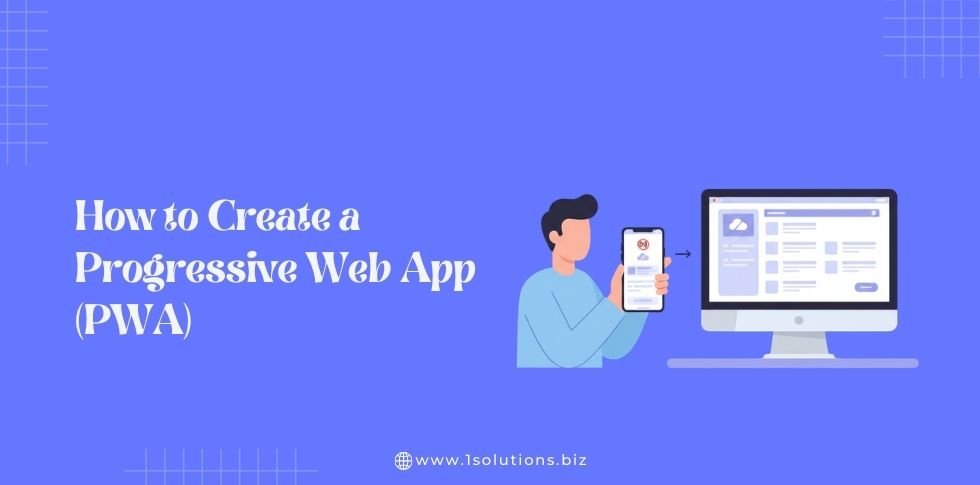
Progressive Web App represent the future of web development. They combine the best features of websites and mobile apps to create lightning-fast, engaging user experiences. PWAs work offline, send push notifications, and feel like native apps while being accessible through web browsers.
Building a PWA might seem complex, but with the right approach, any developer can create one. This comprehensive guide walks you through every step of PWA development, from understanding the basics to implementing advanced features.
What Is a Progressive Web App?
A Progressive Web App is a web application that uses modern web technologies to deliver app-like experiences. PWAs bridge the gap between traditional websites and native mobile applications. They run in web browsers but offer features typically associated with native apps.
PWAs follow three core principles: they must be reliable, fast, and engaging. Reliable means they work offline or on unstable connections. Fast means they load quickly and respond smoothly to user interactions. Engaging means they provide immersive experiences that keep users coming back.
Major companies like Twitter, Pinterest, and Starbucks have successfully implemented PWAs. These applications demonstrate how PWAs can increase user engagement while reducing development costs compared to maintaining separate native apps for different platforms.
Key Benefits of Progressive Web Apps
PWAs offer numerous advantages for both businesses and users. Understanding these benefits helps you make informed decisions about whether PWA development aligns with your project goals.
Enhanced User Experience
PWAs load instantly, even on slow connections. They use service workers to cache resources, ensuring smooth performance regardless of network conditions. Users can interact with cached content while offline, creating seamless experiences that native apps typically provide.
The app-like interface removes browser chrome, giving users more screen space for content. This immersive experience increases user engagement and time spent on your application.
Cost-Effective Development
Developing one PWA instead of separate native apps for iOS and Android reduces development costs significantly. You maintain a single codebase while reaching users across all platforms. This approach is particularly valuable for startups and businesses with limited development resources.
PWAs also eliminate app store submission processes and associated fees. Users can access your application directly through web browsers or install it from your website.
Improved Performance and Conversion
PWAs load 2-3 times faster than traditional websites. This improved performance directly impacts conversion rates. Studies show that every 100-millisecond delay in load time can decrease conversion rates by 7%.
Push notifications re-engage users who might otherwise forget about your application. These notifications work across devices and platforms, helping maintain user interest over time.
Essential PWA Technologies and Requirements
Creating a successful PWA requires understanding several key technologies. Each component serves a specific purpose in delivering the PWA experience.
Service Workers
Service workers are JavaScript files that run in the background, separate from your main web page. They intercept network requests, manage caching, and enable offline functionality. Service workers are essential for PWA reliability and performance.
These scripts run even when your PWA is closed, enabling features like background sync and push notifications. They act as a proxy between your application and the network, giving you precise control over how resources are cached and served.
Web App Manifest
The web app manifest is a JSON file that provides metadata about your PWA. It defines how your application appears when installed on user devices. The manifest controls the app icon, splash screen, theme colors, and display mode.
This file enables the “Add to Home Screen” functionality, allowing users to install your PWA directly from their browser. A properly configured manifest ensures your PWA looks and feels like a native application.
HTTPS Requirement
PWAs must be served over HTTPS for security reasons. This requirement ensures that service workers and other PWA features function correctly. HTTPS also protects user data and prevents man-in-the-middle attacks.
Most modern hosting providers offer free SSL certificates. If you’re developing locally, you can use tools like localhost tunneling services for HTTPS testing.
Step-by-Step PWA Development Process
Creating a PWA involves several distinct steps. Following this systematic approach ensures you don’t miss critical components that could prevent your PWA from functioning properly.
Step 1: Plan Your PWA Strategy
Start by defining your PWA’s purpose and target audience. Identify which features will provide the most value to your users. Consider whether your application needs offline functionality, push notifications, or device integration.
Analyze your existing website or application to determine what content and features should be available offline. This analysis influences your caching strategy and service worker implementation.
Create user personas and map their journeys through your application. This planning phase helps you prioritize features and ensure your PWA addresses real user needs. Just as SEO strategies for startups require careful planning, PWA development benefits from thorough upfront strategy work.
Step 2: Set Up Your Development Environment
Choose a development framework that supports PWA features. Popular options include React, Vue.js, and Angular, all of which offer PWA templates and tooling. You can also build PWAs with vanilla JavaScript for simpler projects.
Install necessary development tools like Node.js, npm or yarn, and a code editor with PWA extensions. Consider using PWA builders or CLI tools that generate boilerplate code and configuration files.
Set up a local development server with HTTPS support. Tools like webpack-dev-server, Vite, or Create React App provide HTTPS options for local development.
Step 3: Create the Web App Manifest
The manifest file defines how your PWA appears to users and operating systems. Create a manifest.json file in your project root directory.
Include essential properties like name, short_name, icons, start_url, display, theme_color, and background_color. The name appears in installation prompts, while short_name shows under the app icon. Icons should include multiple sizes to support different devices and contexts.
Here’s a basic manifest structure:
- Name: Full application name for installation screens
- Short name: Abbreviated name for home screen icons
- Icons: Array of icon objects with different sizes
- Start URL: The page users see when launching your PWA
- Display: Controls how the PWA appears (standalone, fullscreen, etc.)
- Theme color: Browser chrome color on Android
- Background color: Splash screen background while loading
Link your manifest file in your HTML head section using a link tag with rel=”manifest”. Test your manifest using browser developer tools to ensure all properties are correctly defined.
Step 4: Implement Service Workers
Service workers handle caching, offline functionality, and background processes. Create a service worker file (typically named sw.js) and register it in your main JavaScript file.
Implement three key service worker event listeners: install, activate, and fetch. The install event occurs when the service worker is first installed. Use this event to cache essential resources for offline use.
The activate event fires when the service worker becomes active. This event is ideal for cleaning up old caches and preparing the new version of your PWA.
The fetch event intercepts all network requests from your PWA. You can serve cached content, implement fallback strategies, or update resources based on your application’s needs.
Choose appropriate caching strategies for different types of resources. Static assets like CSS and JavaScript files work well with cache-first strategies, while dynamic content might use network-first approaches with cache fallbacks.
Step 5: Design for Mobile-First Experience
PWAs should work seamlessly across all devices, but mobile optimization is crucial. Design your interface with touch interactions in mind. Ensure buttons and links are large enough for finger tapping (minimum 44px recommended).
Implement responsive design principles using CSS media queries. Your PWA should look great on smartphones, tablets, and desktop computers. Consider how your layout adapts to different screen orientations.
Optimize images for various screen densities and sizes. Use modern image formats like WebP when possible, with fallbacks for older browsers. Implement lazy loading for images below the fold to improve initial load performance.
Just as choosing between Next.js and Vue affects your application’s performance characteristics, selecting the right responsive design approach impacts your PWA’s user experience across devices.
Step 6: Implement Offline Functionality
Offline capability distinguishes PWAs from traditional websites. Determine which content and features should work without internet connectivity. Critical paths like viewing previously loaded content or completing started tasks should function offline.
Use your service worker to cache essential resources during the install event. Include HTML pages, CSS files, JavaScript bundles, and key images in your initial cache.
Implement intelligent caching for dynamic content. Store API responses and user-generated content in IndexedDB or Cache API. Consider implementing background sync to send user actions when connectivity returns.
Create meaningful offline experiences rather than generic error pages. Show cached content with clear indicators about offline status. Allow users to continue interacting with available features while offline.
Step 7: Add Push Notifications
Push notifications help re-engage users and drive return visits. Implement push notification functionality using the Web Push Protocol and service worker push events.
Set up a push notification service like Firebase Cloud Messaging (FCM) or a third-party provider. These services handle message delivery across different browsers and platforms.
Request notification permissions thoughtfully. Explain the value users will receive from notifications before showing the browser permission prompt. Users are more likely to grant permission when they understand the benefits.
Create targeted, valuable notifications rather than generic promotional messages. Personalize notifications based on user behavior and preferences. Include action buttons in notifications to enable quick interactions without opening your PWA.
Step 8: Optimize Performance
PWA performance directly impacts user experience and conversion rates. Implement performance optimization techniques throughout your development process.
Minimize initial bundle sizes using code splitting and lazy loading. Load only essential resources for the initial view, then load additional features as needed. This approach reduces time to first contentful paint and improves perceived performance.
Optimize critical rendering path by inlining critical CSS and prioritizing above-the-fold content. Use resource hints like preload and prefetch to guide browser resource prioritization.
Implement efficient caching strategies that balance fresh content with fast loading. Use versioning for cache invalidation to ensure users receive updated content when available.
Monitor Core Web Vitals metrics including Largest Contentful Paint, First Input Delay, and Cumulative Layout Shift. These metrics directly impact search engine rankings and user experience.
PWA Testing and Debugging
Thorough testing ensures your PWA works correctly across different devices, browsers, and network conditions. Use both automated tools and manual testing approaches for comprehensive coverage.
Browser Developer Tools
Modern browsers provide excellent PWA debugging capabilities. Chrome DevTools includes an Application tab with service worker debugging, manifest validation, and storage inspection tools.
Test your service worker lifecycle events using the Application tab. Simulate offline conditions using the Network tab to verify offline functionality works correctly.
Use the Lighthouse audit tool to identify PWA compliance issues and performance opportunities. Lighthouse provides specific recommendations for improving your PWA across multiple categories.
Cross-Browser Testing
Test your PWA across different browsers and operating systems. While Chromium-based browsers offer the most complete PWA support, Safari and Firefox support most essential features with some limitations.
Pay special attention to iOS Safari, which has specific PWA behaviors and limitations. Test the installation flow, offline functionality, and push notifications across all target platforms.
Use browser testing tools or services to test on devices you don’t have physical access to. This testing is particularly important for ensuring your PWA works on different Android devices with varying capabilities.
Performance Testing
Test your PWA performance under various network conditions. Use browser throttling tools to simulate 3G and 4G connections. Your PWA should remain usable even on slower connections.
Conduct load testing to ensure your service workers and caching strategies handle traffic spikes appropriately. Monitor cache hit rates and service worker performance metrics.
Test your PWA on actual devices rather than relying solely on browser simulation. Real device testing reveals performance characteristics that desktop browsers can’t accurately simulate.
PWA Deployment and Distribution
Deploying a PWA differs from traditional web applications in several important ways. Proper deployment ensures all PWA features function correctly in production environments.
Hosting Requirements
Choose a hosting provider that supports HTTPS and allows proper MIME type configuration. Your server must serve the web app manifest with the correct content-type header (application/manifest+json).
Configure your server to properly cache static assets while allowing dynamic content updates. Set appropriate cache headers for different resource types to optimize performance without preventing updates.
Ensure your hosting provider supports HTTP/2 for improved performance. Many PWA optimizations work better with HTTP/2’s multiplexing and server push capabilities.
App Store Distribution
PWAs can be distributed through traditional app stores in addition to web installation. Microsoft Store accepts PWAs directly, while Google Play Store supports Trusted Web Activities for PWA distribution.
Apple’s App Store requires PWAs to be wrapped in native containers, but tools like PWABuilder can automate this process. Consider whether app store distribution aligns with your marketing and user acquisition strategy.
Remember that web-based installation offers advantages like bypassing app store approval processes and enabling immediate updates. Balance app store visibility with the flexibility of web distribution.
Advanced PWA Features and Optimization
Once your basic PWA is functional, consider implementing advanced features that further enhance the user experience and differentiate your application.
Background Sync
Background sync allows your PWA to defer actions until users have stable connectivity. This feature is particularly valuable for applications that handle user-generated content or form submissions.
Implement background sync using the Background Sync API in your service worker. Queue failed network requests and retry them automatically when connectivity improves.
Consider implementing periodic background sync for applications that need regular content updates. This feature allows your PWA to refresh content even when users haven’t actively opened the application.
Web Share API
The Web Share API enables users to share content from your PWA using their device’s native sharing capabilities. This integration makes your PWA feel more like a native application.
Implement fallback sharing options for browsers that don’t support the Web Share API. Provide buttons for popular social media platforms and email sharing as alternatives.
Device Integration
Modern web APIs allow PWAs to integrate with device capabilities like camera, geolocation, and sensors. These integrations can create compelling experiences that rival native applications.
Implement camera access for features like photo uploads or QR code scanning. Use the Geolocation API for location-based features while respecting user privacy preferences.
Consider integrating with device sensors for applications that benefit from motion or orientation data. Always request permissions appropriately and provide clear explanations of how device data will be used.
Similar to how Next.js provides enterprise-grade development capabilities, advanced PWA features enable enterprise-level user experiences while maintaining web technology flexibility.
PWA SEO and Discovery
PWAs need proper SEO optimization to ensure discoverability through search engines. Unlike native apps that rely on app store optimization, PWAs benefit from traditional SEO techniques combined with PWA-specific optimizations.
Technical SEO for PWAs
Ensure your PWA’s content is crawlable by search engines. While service workers provide powerful caching capabilities, they shouldn’t block search engine bots from accessing your content.
Implement proper URL structure and navigation that search engines can understand. Single-page applications require special attention to ensure all content is discoverable and indexable.
Use structured data markup to help search engines understand your content. This markup can improve your search result appearance and enable rich snippets.
Just as technical SEO forms the foundation of search visibility, proper PWA technical implementation ensures your application can be found and indexed by search engines.
Performance and Core Web Vitals
PWAs often perform better than traditional websites due to their caching strategies and optimized loading patterns. Monitor your Core Web Vitals scores and optimize accordingly.
Implement server-side rendering or static generation for critical content to improve initial load performance. Tools like Next.js development services can help implement these optimizations effectively.
Use performance monitoring tools to track real user metrics. Understanding how your PWA performs for actual users helps identify optimization opportunities that synthetic testing might miss.
Common PWA Development Challenges
PWA development presents unique challenges that developers should anticipate and plan for. Understanding these challenges helps you avoid common pitfalls and build more robust applications.
Browser Compatibility
While PWA support has improved significantly, some browsers still have limitations. Safari on iOS has historically been slower to implement PWA features, though recent versions have made substantial improvements.
Implement progressive enhancement strategies that provide basic functionality in all browsers while enabling advanced features in supporting browsers. Test your PWA across all target browsers and devices.
Consider using polyfills for missing features, but balance functionality with performance impact. Sometimes it’s better to provide alternative experiences rather than heavy polyfills.
Service Worker Complexity
Service workers are powerful but can be complex to implement correctly. Common issues include cache versioning problems, service worker update difficulties, and debugging challenges.
Use established patterns and libraries like Workbox to handle common service worker scenarios. These tools provide tested solutions for caching strategies, background sync, and other PWA features.
Implement proper service worker lifecycle management to ensure smooth updates. Plan for scenarios where users might have old service workers cached that need updating.
iOS Safari Limitations
iOS Safari has specific PWA limitations that developers must work around. Push notifications weren’t supported until iOS 16.4, and some features still have restrictions compared to Android browsers.
Design your PWA to gracefully handle missing features on iOS. Provide alternative notification strategies or feature explanations when capabilities aren’t available.
Stay updated with iOS Safari PWA support changes, as Apple continues improving PWA capabilities with each iOS update.
PWA Maintenance and Updates
Maintaining a PWA requires ongoing attention to service worker updates, cache management, and performance monitoring. Proper maintenance ensures your PWA continues providing excellent user experiences over time.
Service Worker Updates
Plan your service worker update strategy carefully. Users might have old service workers cached that need updating when you release new versions of your PWA.
Implement version control in your service worker to manage cache updates appropriately. Use cache versioning strategies that clean up old caches while preserving important user data.
Consider implementing update notifications that inform users when new versions are available. Allow users to control when updates are applied to avoid disrupting their current activities.
Performance Monitoring
Continuously monitor your PWA’s performance using tools like Google Analytics, Real User Monitoring (RUM), and browser performance APIs. Track metrics that matter to your users and business goals.
Monitor service worker performance and cache hit rates. Identify opportunities to improve caching strategies or update cached resources more efficiently.
Set up alerting for performance degradation or PWA feature failures. Quick response to issues helps maintain user trust and satisfaction.
Regular maintenance practices mirror those needed for comprehensive on-page SEO optimization, requiring ongoing attention to ensure continued effectiveness.
Future of PWA Development
PWA technology continues evolving with new web APIs and improved browser support. Understanding emerging trends helps you build PWAs that remain relevant and competitive.
Emerging Web APIs
New web APIs regularly expand PWA capabilities. Features like Web Bluetooth, Web USB, and advanced device integration APIs enable PWAs to access functionality previously limited to native applications.
File System Access API allows PWAs to read and write files directly to user devices, enabling more sophisticated applications like document editors or media management tools.
WebAssembly integration enables high-performance applications that can compete with native apps in demanding use cases like games or data processing applications.
Enhanced App Store Integration
Major app stores continue improving PWA support. Google Play Store’s Trusted Web Activities and Microsoft Store’s native PWA support demonstrate the growing acceptance of PWAs in traditional app distribution channels.
Apple’s increasing PWA support in iOS Safari suggests future improvements in App Store PWA distribution, potentially simplifying the process of reaching iOS users through official channels.
Development Tool Evolution
PWA development tools continue improving with better debugging capabilities, automated testing frameworks, and simplified deployment processes. These improvements make PWA development more accessible to developers with varying experience levels.
Framework integration becomes more sophisticated, with modern JavaScript frameworks providing built-in PWA support and optimization features.
AI-powered development tools may soon automate many PWA optimization tasks, from performance tuning to accessibility improvements, making it easier to build high-quality PWAs.
Measuring PWA Success
Successful PWA development requires measuring the right metrics to understand user engagement and business impact. Track metrics that align with your PWA’s goals and user expectations.
User Engagement Metrics
Monitor installation rates to understand how many users find your PWA valuable enough to install. Track time between visits and session duration to measure engagement improvements compared to your previous web experience.
Measure push notification engagement rates, including open rates and action completion rates. These metrics help optimize notification timing and content for better user response.
Track offline usage patterns to understand how users interact with your PWA without connectivity. This data helps optimize offline experiences and identify features that need offline support.
Business Impact Metrics
Monitor conversion rates, purchase completion rates, and other business-critical metrics to quantify your PWA’s business value. Compare these metrics to your previous web or native app performance.
Track development and maintenance costs compared to native app development. PWAs often provide cost savings that can be reinvested in user experience improvements or marketing.
Measure page load performance and Core Web Vitals to ensure your PWA maintains excellent search engine visibility. Performance improvements often correlate with both user satisfaction and search ranking improvements.
Getting Professional PWA Development Help
While this guide provides comprehensive PWA development information, complex projects may benefit from professional development assistance. Consider partnering with experienced development teams for enterprise-grade PWAs or applications with specific technical requirements.
Professional development teams bring expertise in advanced PWA features, performance optimization, and cross-platform compatibility. They can help avoid common pitfalls and implement best practices from the start.
Look for development partners with proven PWA experience and portfolios demonstrating successful implementations. The right development team can accelerate your PWA launch while ensuring long-term maintainability and scalability.
At 1Solutions, we specialize in creating high-performance PWAs that drive business results. Our experienced development team understands the nuances of PWA implementation and can help you build applications that engage users and achieve your business goals. Get a free proposal to discuss how we can help bring your PWA vision to life.
Frequently Asked Questions
How long does it take to develop a Progressive Web App?
PWA development time varies based on complexity and features. Simple PWAs can be built in 4-8 weeks, while complex applications with advanced features may take 3-6 months. Factors affecting timeline include existing codebase conversion, custom feature requirements, design complexity, and integration needs. Hiring experienced developers can significantly accelerate development timelines while ensuring quality implementation.
Do Progressive Web Apps work on all devices and browsers?
PWAs work on most modern browsers and devices, but feature support varies. Chrome, Edge, and Firefox provide excellent PWA support. Safari supports most PWA features but with some limitations. iOS Safari gained push notification support in version 16.4. PWAs function as regular websites in browsers with limited support, ensuring basic accessibility across all platforms while providing enhanced experiences where supported.
Can PWAs access device features like camera and location?
Yes, PWAs can access many device features through web APIs. Common capabilities include camera access, geolocation, device sensors, Bluetooth connectivity, and file system access (in supporting browsers). However, access levels may be more restricted than native apps, and users must grant explicit permissions. The available features continue expanding as web API support improves across browsers.
How do PWAs handle app store distribution?
PWAs can be distributed through multiple channels. Users can install them directly from websites using browser installation prompts. Microsoft Store accepts PWAs natively, while Google Play Store supports them through Trusted Web Activities. Apple’s App Store requires PWAs to be wrapped in native containers. Many businesses choose multi-channel distribution strategies to maximize user reach and acquisition.
What are the main differences between PWAs and native mobile apps?
PWAs run in browsers using web technologies, while native apps are built specifically for operating systems. PWA offer easier development and maintenance with single codebases, while native apps provide deeper system integration and potentially better performance for complex tasks. PWAs update automatically without app store approval, while native apps require store submissions for updates. Both approaches have advantages depending on project requirements and target audiences.
How do PWAs impact SEO and search engine visibility?
PWAs can significantly improve SEO performance through faster loading, better user engagement, and improved Core Web Vitals scores. Search engines index PWA content like regular websites, but proper technical implementation is crucial. PWAs often achieve better search rankings due to superior performance characteristics. Implementing modern SEO strategies alongside PWA development maximizes search visibility and organic traffic potential.
What ongoing maintenance do PWAs require?
PWA maintenance involves service worker updates, cache management, performance monitoring, and security updates. Regular testing across browsers and devices ensures continued compatibility. Monitor Core Web Vitals and user engagement metrics to identify optimization opportunities. Update dependencies and implement new web API features as they become available. Proper maintenance ensures your PWA continues delivering excellent user experiences while adapting to evolving web standards and user expectations.












 in India