
























































Internal linking is not just navigation.
It is the structural wiring of your website.
Every internal link helps search engines understand how your content connects. It guides users through logical paths. It distributes authority between pages. It shapes crawl behavior. It influences indexing priority. It impacts ranking stability.
When internal links break, your structure weakens.
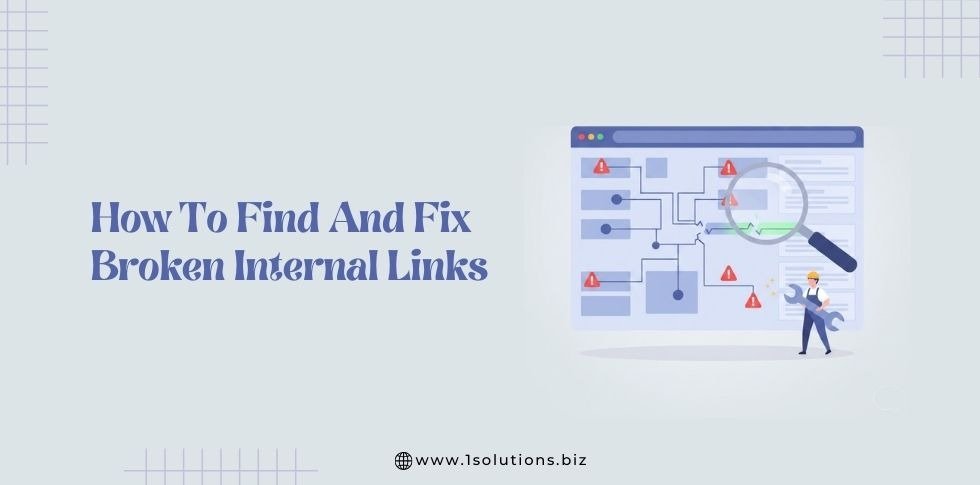
Broken internal links are one of the most common technical SEO problems across growing websites. They often appear quietly over time as content expands, URLs change, pages are deleted, or redesigns occur.
Unlike backlinks, broken internal links are completely within your control.
If you manage them properly, you protect your authority, crawl efficiency, and long term rankings.
This guide explains everything in depth.
What Are Broken Internal Links
A broken internal link is a hyperlink that points to another page within your own website but leads to an error instead of valid content.
Instead of reaching useful information, users or search engines encounter:
• 404 Not Found
• 410 Gone
• 500 Internal Server Error
• 429 Too Many Requests
• Redirect loop
• Incorrect redirect target
The most common is the 404 error, which indicates that the page no longer exists at that URL.
Managing these issues falls under the broader scope of technical SEO.
Technical SEO ensures search engines can crawl, index, and interpret your website efficiently. Broken links directly disrupt that process.
Why Broken Internal Links Matter?
Broken links may seem small. They are not.
They create layered problems that compound over time.
Let’s examine the full impact.
1. Crawl Budget Waste
Search engines allocate a crawl budget to each website. Crawl budget refers to the number of URLs a search engine bot will crawl during a given time period.
When bots encounter broken internal links:
• Crawl requests are wasted on error pages
• Important pages may be crawled less frequently
• Newly published content may be discovered slower
• Updates may take longer to reflect in search results
For large websites, especially ecommerce stores with thousands of URLs, crawl efficiency becomes critical.
A structured approach similar to the ultimate technical SEO audit for ecommerce sites highlights how crawl depth and crawl waste impact indexation.
If broken links consume crawl resources, important pages suffer.
2. Loss of Link Equity
Internal links distribute authority across your website.
If you are unfamiliar with how internal authority works, review link equity in SEO
Every time a strong page links to another page, it passes ranking value.
When that link leads to a broken page, the authority stops there.
Imagine:
• A high traffic blog post linking to five related articles
• Two of those URLs are broken
That means 40 percent of the internal authority from that post is wasted.
Over time, this weakens entire content clusters.
3. Broken Topical Clusters
Modern SEO favors topical depth.
Strong websites build subject authority using content clusters supported by pillar pages in SEO.
A pillar page links to supporting articles. Supporting articles link back. This creates a clear contextual map.
Broken links disrupt these maps.
Search engines rely heavily on internal linking patterns to understand relationships between topics. When connections disappear, contextual clarity weakens.
4. Poor User Experience
User experience and SEO are deeply connected.
When users click internal links and encounter error pages:
• Trust declines
• Frustration increases
• Bounce rate rises
• Engagement drops
• Conversion paths break
This directly affects performance.
The relationship between structure and engagement is closely tied to principles explained in this guide-
how to improve your conversion rate with a great UX
Internal linking is not just technical. It is behavioral.
5. Increased Algorithm Volatility
Websites with structural issues often show more ranking fluctuation during core updates.
For example, patterns observed during Google December 2025 Core Update showed that structurally sound websites maintained greater stability.
Broken internal links signal neglect.
Common Causes of Broken Internal Links
Broken internal links rarely appear without reason. In most cases, they result from routine website changes that were not supported by proper structural updates.
Understanding these causes helps you prevent recurring issues and maintain long term site stability.
Below are the most common reasons internal links break.
1. Page Deletions Without Structural Review
One of the most frequent causes of broken internal links is page removal without updating internal references.
When outdated blog posts, product pages, or landing pages are deleted, existing internal links continue pointing to those URLs. Over time, these unresolved references accumulate and weaken site integrity.
Before removing any page, review its internal and external references. This process should be part of a broader
website health evaluation.
A structured review ensures you do not unintentionally create crawl errors.
2. URL Changes During Content Updates
Content updates often involve editing page titles or slugs. When URLs change but internal links remain untouched, broken links appear across the site.
This issue is common in content refresh cycles. Many teams update keywords or optimize titles but overlook internal references embedded in older posts.
Best practices outlined in important SEO tips for a new website emphasize consistent URL planning from the start. Stable URL structures reduce long term structural risks.
3. Website Redesign and Structural Reorganization
Redesign projects often alter navigation menus, category structures, and folder hierarchies.
Without careful mapping, these changes disrupt internal link paths. Pages may move into new directories, or entire sections may be renamed.
When redesigning, internal link validation should be part of your broader web design strategy
A visual update should never compromise crawl accessibility.
4. CMS Migrations and Platform Changes
Migrating from one content management system to another often changes URL patterns.
For example, shifting from a custom build to WordPress or moving to a new ecommerce platform can alter permalink formats automatically.
During platform transitions, link validation must be included in your website maintenance
Migration without redirect mapping is one of the fastest ways to create large scale broken link issues.
5. Manual Linking Errors
Not all broken links come from major changes. Simple human error plays a role.
Common mistakes include:
• Typographical errors in URLs
• Missing characters in slugs
• Incorrect capitalization
• Accidental trailing slashes
Even minor formatting differences can generate 404 errors.
These small errors often go unnoticed until a structured review is performed SEO audit tools.
Automated scanning helps detect mistakes that manual checks may miss.
6. Expired Resources or Media Files
Internal links sometimes point to downloadable files, PDFs, or media assets. When those files are removed or renamed, links break.
This is common in resource heavy websites or blogs that update downloadable materials.
File management and optimization processes described in optimizing PDFs for SEO include link verification as part of file replacement workflows.
7. Plugin or Theme Conflicts
In WordPress environments, certain plugins or theme changes may alter URL behavior.
For example, caching tools, security plugins, or permalink related settings can affect routing. If conflicts occur, some URLs may return unexpected errors.
Routine plugin audits and security practices outlined in how to secure your website reduce the likelihood of structural disruptions caused by technical conflicts.
8. Lack of Ongoing Monitoring
Perhaps the most overlooked cause of broken internal links is simple neglect.
Websites grow. Content expands. Links accumulate. Without periodic reviews, outdated references remain unnoticed.
Internal link monitoring should be embedded within your overall long term SEO strategy.
Sustainable SEO growth depends on consistent structural maintenance.
Broken internal links are rarely isolated incidents. They are usually symptoms of unmanaged change.
Content updates, redesigns, migrations, and routine edits all affect site structure. Without validation processes in place, these changes introduce link errors.
By identifying the common causes early and integrating structured monitoring into your workflow, you prevent technical debt from accumulating over time.
Strong SEO performance is built on consistency. Structural accuracy must evolve alongside content growth.
Step by Step Guide to Finding Broken Internal Links
Finding broken internal links requires a structured approach. Random checks are not enough. A systematic process ensures that errors are detected early and corrected before they affect performance.
Below is a clear step by step method you can follow.
Step 1: Review Google Search Console Coverage Reports
Begin with Google Search Console. It provides direct insight into how search engines interact with your website.
Focus on:
• Pages marked as Not Found
• Soft 404 reports
• Pages excluded from indexing
• Server related crawl errors
These reports reveal which URLs are returning errors during crawling.
Accurate tracking ensures your diagnostic data is reliable before you investigate structural issues.
Search Console often highlights patterns. If multiple broken URLs appear within the same directory, the issue may relate to a structural change rather than a single mistake.
Step 2: Perform a Full Site Crawl
Automated crawling provides a complete view of internal link health.
Use professional crawling tools to scan every accessible URL on your domain. The goal is to identify:
• Internal links returning 404 errors
• Pages with high numbers of broken outgoing links
• Redirect loops
• Excessive redirect chains
A detailed crawl should be part of a broader technical review process.
Export crawl reports and sort by HTTP status code. This allows you to isolate broken URLs quickly.
Step 3: Identify Orphan Pages and Weak Internal Linking
Not all internal linking problems involve obvious 404 errors. Some pages may exist but receive no internal links. These are known as orphan pages.
Orphan pages:
• Are difficult for search engines to discover
• Receive limited authority
• Often rank poorly
To identify them, compare your sitemap URLs with your crawl results. Pages that exist in the sitemap but receive no internal links should be reviewed.
Sitemap accuracy is critical. A clean sitemap supports accurate crawl comparisons.
Step 4: Analyze Navigation and High Traffic Pages
Broken links within navigation menus or high traffic pages cause greater damage than isolated blog errors.
Manually test:
• Header menus
• Footer links
• Sidebar links
• Category pages
• Resource pages
Pay special attention to pages that drive significant traffic. If a high visibility article contains broken links, the impact is magnified.
Review engagement metrics to identify pages with declining user interaction. If bounce rates rise unexpectedly, investigate structural causes.
Step 5: Check Internal Links After Content Updates
Broken links often appear after content refreshes or URL adjustments.
Whenever you:
• Change a slug
• Merge content
• Update categories
• Rename a page
you should immediately scan internal references.
Before large scale updates, review planning practices from important SEO tips for a new website
Proactive structure planning reduces the likelihood of internal link errors during updates.
Step 6: Monitor Server and Performance Logs
Server logs reveal patterns that crawling tools may not fully capture.
Review logs for:
• Repeated 404 requests
• Excessive 500 errors
• High frequency requests to missing URLs
Persistent server level errors may indicate deeper structural problems.
Performance reviews also help uncover issues that impact crawling. For example, if search engine bots struggle to access certain resources, investigate warnings related to CSS and JS warning
Although not a broken link issue directly, blocked resources can limit effective crawling and mask deeper structural errors.
Step 7: Establish a Recurring Review Schedule
Finding broken internal links is not a one time activity.
Set a recurring review schedule based on site size:
• Small sites: Quarterly
• Medium sites: Every two months
• Large sites: Monthly
Integrate link checks into your broader optimization routine. Sustainable growth requires ongoing evaluation.
Maintaining consistency aligns with a structured long term SEO strategy
Routine monitoring prevents structural decay and protects ranking stability.
Finding broken internal links requires discipline and structure. Automated tools, Search Console data, sitemap validation, and manual testing must work together.
When detection becomes part of your routine process, broken links are identified early. This protects crawl efficiency, authority flow, and user experience.
A structured discovery process is the first step toward maintaining a stable and resilient website architecture.
How to Fix Broken Internal Links Properly
Fixing broken links requires decision making.
Option 1: Update the Link Directly
If the content exists at a new URL, replace the outdated link with the correct one.
Direct linking is stronger than relying on redirects.
Option 2: Implement 301 Redirects
If a page permanently moved, use 301 redirection for SEO.
This preserves link equity and ensures users reach the correct page.
Avoid redirect chains.
Option 3: Restore Valuable Pages
If deleted pages had backlinks or rankings, restoring them may protect authority.
Backlink evaluation strategies are explained in how to remove bad backlinks from Google
Removing pages without evaluating authority can cause unintended ranking loss.
Option 4: Improve Your 404 Page
Even optimized websites generate occasional errors.
Create a helpful experience using how to create a custom 404 page in WordPress
A strong 404 page should include:
• Clear explanation
• Search function
• Popular links
• Navigation menu
This reduces bounce rate.
WordPress Workflow for Managing Internal Links
If your website runs on WordPress, create a structured workflow:
- Before changing any URL, document existing links
- Apply 301 redirects immediately after slug changes
- Update internal references inside posts
- Run a crawl scan
- Monitor Search Console within 7 days
Integrate link checks into your broader website maintenance checklist
Routine review prevents decay.
Internal Linking Strategy for Long Term SEO Growth
Fixing broken internal links is a maintenance task. Building a strong internal linking strategy is a growth strategy.
A well planned internal structure supports crawl efficiency, strengthens authority distribution, improves user navigation, and enhances ranking stability. When internal linking is intentional, every new page you publish strengthens the overall domain.
Below are the key elements of a long term internal linking framework.
Build a Strong Technical Foundation
Internal linking cannot perform well without structural stability. A clear site hierarchy, clean URL structure, and consistent navigation form the base layer of optimization.
This begins with a solid technical SEO foundation.
When search engines can crawl your site efficiently, internal links help guide them toward priority pages. If technical barriers exist, even strong internal linking cannot compensate.
Organize Content into Logical Clusters
Search engines favor topical depth. Instead of publishing isolated articles, group related content into structured clusters.
A model based on pillar pages in SEO helps establish clear relationships between main topics and supporting articles. The pillar page covers the broad subject. Supporting pages explore subtopics in detail. Internal links connect them in both directions.
This structure strengthens topical authority and clarifies subject expertise.
Distribute Link Equity Strategically
Internal links pass authority between pages. That authority should be directed intentionally toward high value content.
Understanding link equity in SEO helps explain why some pages rank faster than others. Pages that receive strong internal links from high traffic or high authority content gain visibility more efficiently.
Link to:
• Core service pages
• High conversion pages
• Updated cornerstone articles
• New content that needs indexing support
Avoid random or excessive linking. Each link should serve a purpose.
Use Natural and Contextual Anchor Text
Anchor text should reflect the topic of the destination page while remaining natural within the sentence.
Avoid over optimization. Keyword stuffing in anchor text can weaken credibility and disrupt readability. The risks of excessive optimization are explained in why over optimizing your website can hurt your website.
Keep anchor text clear, relevant, and helpful for the reader.
Reduce Click Depth for Important Pages
Important pages should not be buried deep within your site. Pages that are five or six clicks away from the homepage may receive less crawl attention.
Flattening your site architecture improves accessibility. During a comprehensive SEO audit review how many clicks it takes to reach critical pages. Adjust internal links to reduce unnecessary depth.
Maintain Internal Links During URL Changes
When URLs change, internal links must be updated immediately. If this step is ignored, broken links accumulate and weaken structure.
Applying proper 301 redirection for SEO ensures authority is preserved when pages move. However, internal links should still point directly to the final URL rather than relying on redirects.
Integrate Internal Linking into Routine Maintenance
Internal linking should not be reviewed only when problems arise. It should be part of ongoing site management.
Incorporate link checks into your website maintenance checklist.
Routine monitoring prevents structural decay and supports long term growth.
Align Internal Linking with Content Optimization
Internal links amplify content relevance. When paired with strong on page optimization, they reinforce context and keyword targeting.
Internal linking works best alongside when the content is optimized for SEO.
Structure and content quality must support each other.
Monitor Performance and Adjust
Track:
• Internal link distribution
• Crawl errors
• Orphan pages
• Pages with low internal links
• Changes in crawl frequency
Use data to refine your internal linking strategy over time. SEO growth depends on consistent adjustment.
Closing Perspective
Internal linking is not a one time setup. It is an ongoing structural discipline.
When internal links are accurate, intentional, and strategically placed, they:
• Strengthen topical authority
• Improve crawl efficiency
• Preserve link equity
• Support ranking stability
• Enhance user navigation
A strong internal linking strategy supports sustainable SEO growth. It builds resilience during algorithm changes and improves the performance of every new piece of content you publish.
Structure first. Scale second.
FAQ
How often should I check for broken internal links
Most small websites should review internal links at least once every three months. Medium sized websites should conduct checks every one to two months. Large ecommerce or content heavy websites should monitor link health monthly.
You should also perform a review after any major redesign, URL update, migration, or content consolidation. Regular monitoring prevents small issues from becoming larger structural problems.
Do broken internal links directly cause ranking drops
Broken internal links do not always cause an immediate ranking drop. However, when they accumulate, they weaken crawl efficiency and disrupt link equity flow. Over time, this can reduce the overall strength of your site.
Search engines evaluate structural quality as part of broader site assessment. Persistent link errors can contribute to performance decline if not addressed.
Should every deleted page be redirected
Not every deleted page requires a redirect. If the page has backlinks, traffic, or strategic importance, a 301 redirect is recommended to preserve authority and maintain user experience.
If the page has no traffic or external value, it may be removed without redirection. The decision should be based on data, not assumption.
Are redirect chains harmful for SEO
Yes. Redirect chains can weaken authority transfer and slow crawling. Each additional redirect step increases load time and reduces efficiency.
Whenever possible, internal links should point directly to the final destination URL rather than relying on multiple redirect steps.
Can broken internal links affect conversions
Yes. Broken links interrupt user journeys. When visitors encounter error pages, trust decreases and engagement drops.
If internal links break along key conversion paths, they can directly impact leads, sales, and user retention.
What is the difference between a 404 error and a 410 error
A 404 error indicates that a page cannot be found at the requested URL. A 410 error signals that the page was intentionally removed and will not return.
From an SEO perspective, both should be reviewed carefully to ensure they are intentional and not the result of structural mistakes.
Do internal links matter as much as backlinks
Internal links and backlinks serve different purposes. Backlinks build domain authority. Internal links distribute that authority across your website.
Without strong internal linking, external authority cannot be used effectively. Both are essential, but internal links are fully within your control.
How can I prevent broken internal links in the future
Preventing broken links requires structured maintenance. Before changing URLs, document existing links. Apply redirects immediately when needed. Conduct regular technical audits and monitor crawl reports.
A proactive maintenance routine protects long term site stability.
Final Thoughts
Broken internal links may seem like small technical errors, but their impact is far reaching. They affect how search engines crawl your site, how authority flows between pages, and how users move through your content.
When internal links fail, structure weakens. Crawl paths become inefficient. Link equity is lost. Topic clusters lose clarity. Over time, these issues reduce ranking stability and limit growth potential.
Strong SEO performance depends on more than keywords and backlinks. It depends on structure. Internal linking forms the framework that supports every other optimization effort.
Regular audits, careful URL management, and thoughtful linking practices protect that framework. When internal links remain accurate and intentional, your website becomes easier to crawl, easier to understand, and easier to navigate.
A well maintained internal linking system strengthens authority, improves user experience, and supports long term visibility in search results.
Protect your structure. Maintain your links. Build stability before chasing scale.











 in India